Bring back the detail in
Turn soft AI clips and phone videos into sharp 4K, or make motion smooth at 60 fps. Everything runs on your Mac - private, offline, no uploads.
Videos lose a lot on the way to you. A clip sent through a messaging app comes back blurry and blocky, a zoomed-in shot turns soft, an older video looks small on today's screens. Upframe brings back the detail, right on your device.
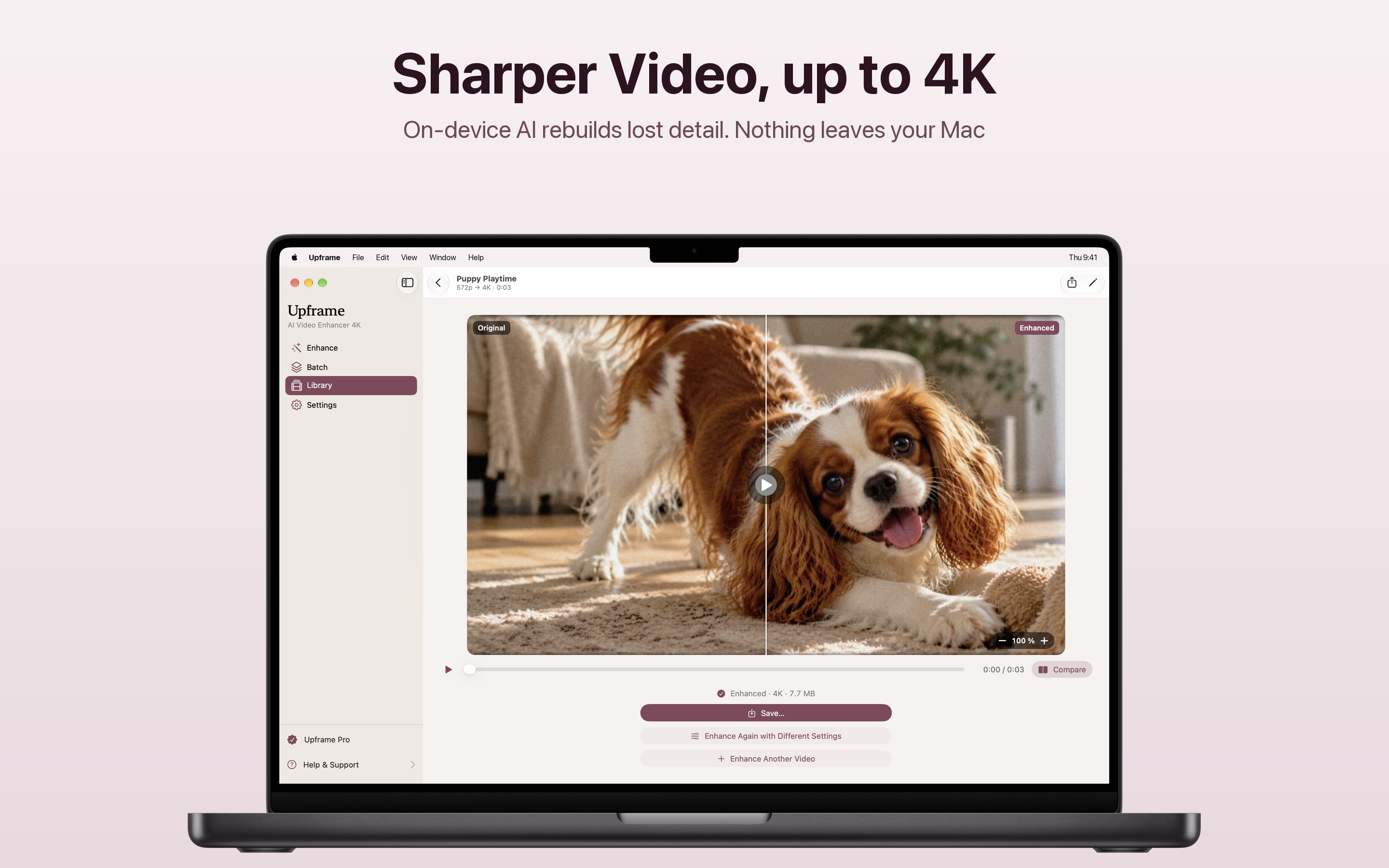
Available on macOSOn-device AI rebuilds fine detail and clean edges instead of simply stretching the picture. Choose 1080p, 1440p or 4K.
Smoother motion and slow motion
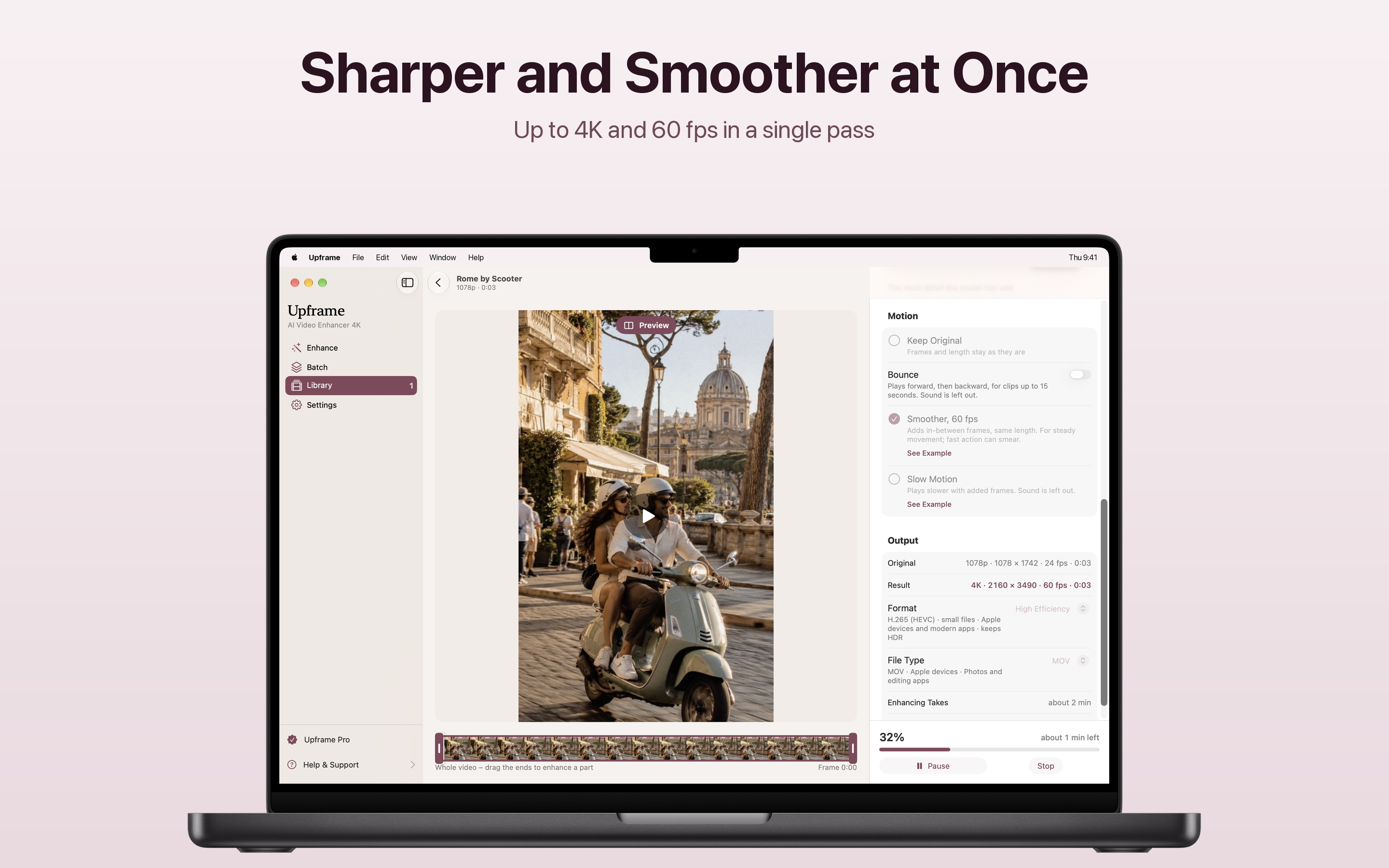
Turn a 30 fps video into a smooth 60 fps, or slow a moment down up to 8 times, with new frames made in between.
Private by design
Everything happens on your device. No uploads, no account, no credits to count, and it works offline. Your originals are never changed.
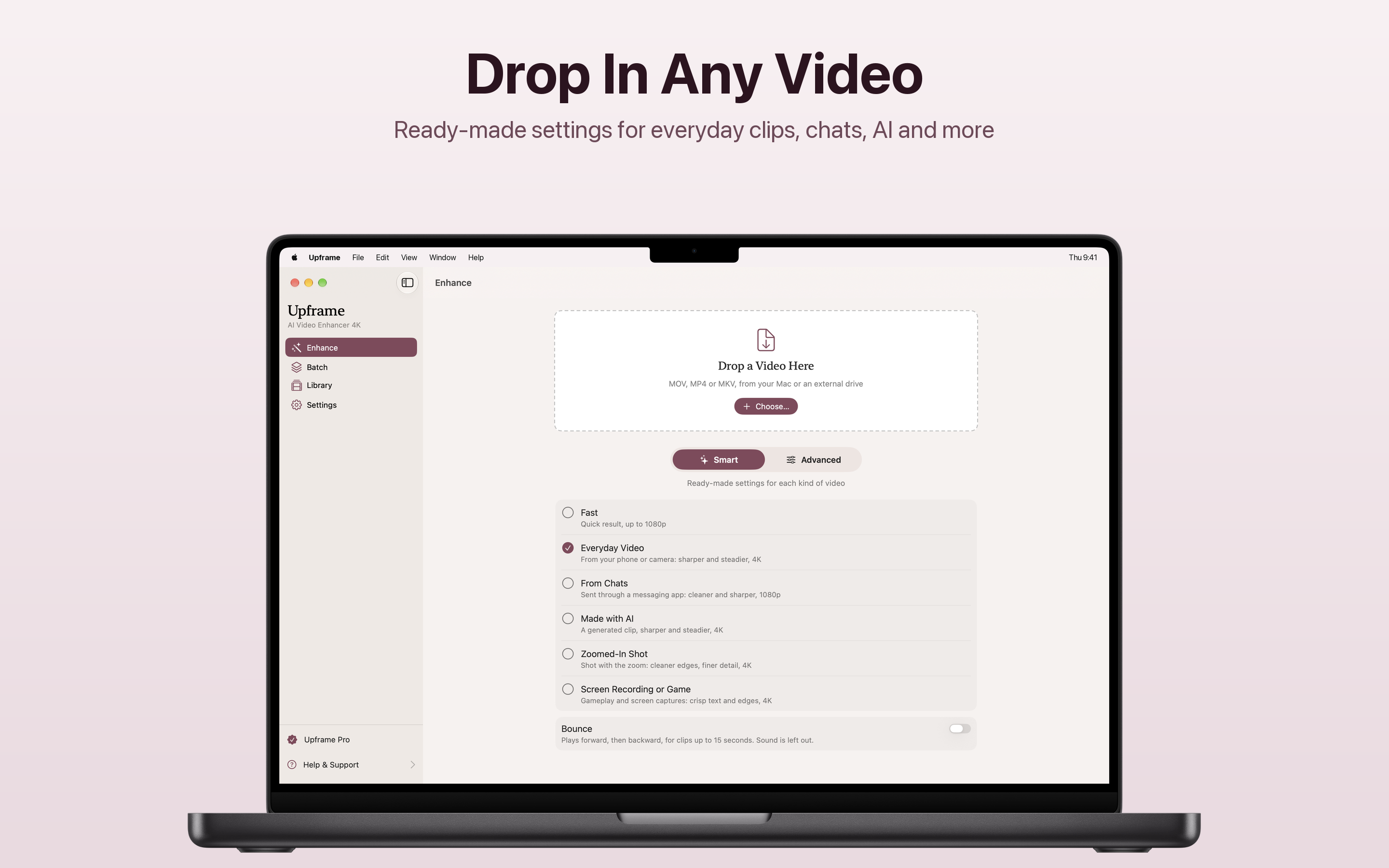
Choose a video and Upframe recognises what it is, then picks the right enhancement for it. MOV, MP4 or MKV, from your Mac or an external drive.
Ready-made settings for each kind
A clip that came through a chat needs cleaning up, a screen recording needs crisp text and edges. Upframe knows the difference.
Or set everything yourself
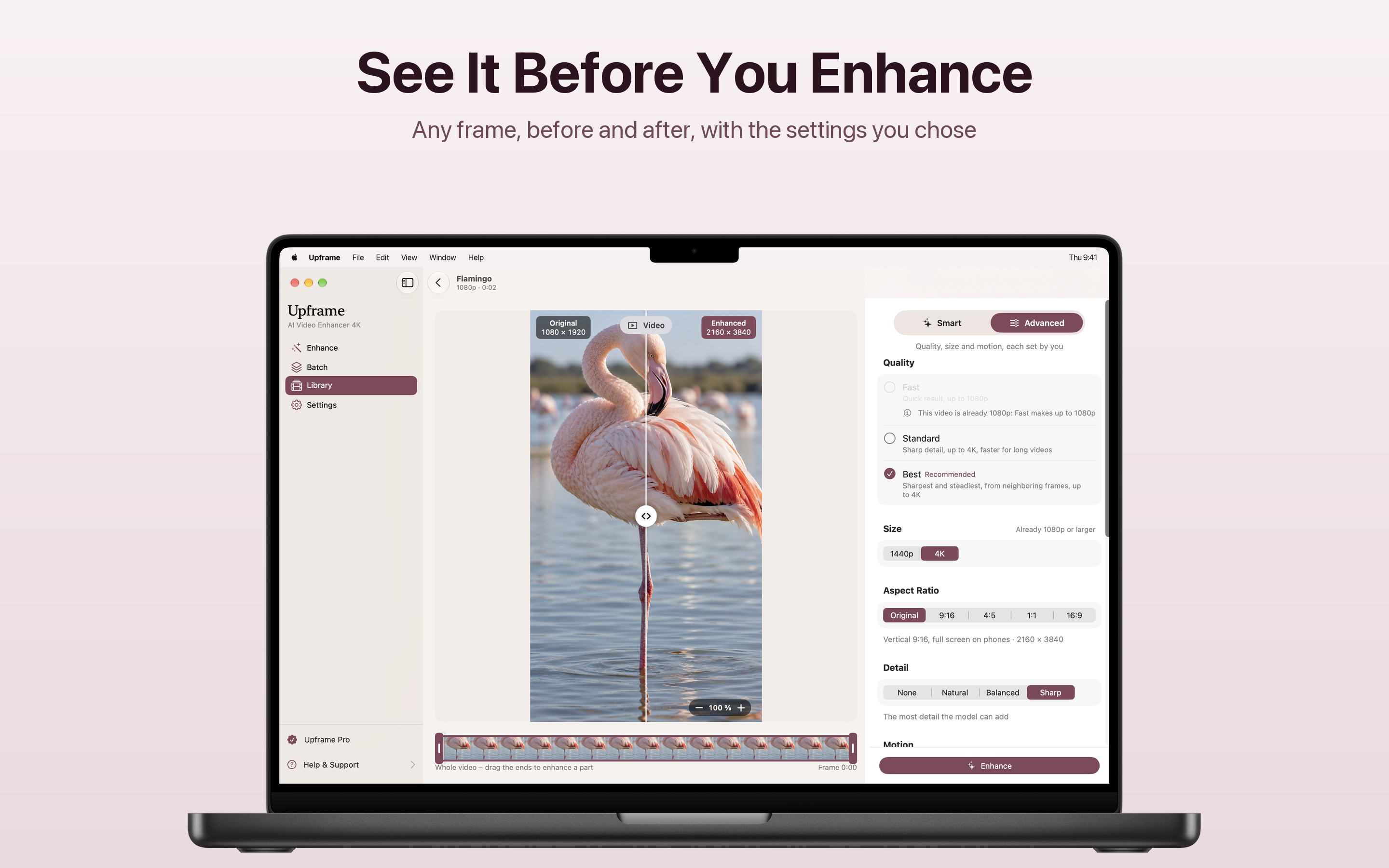
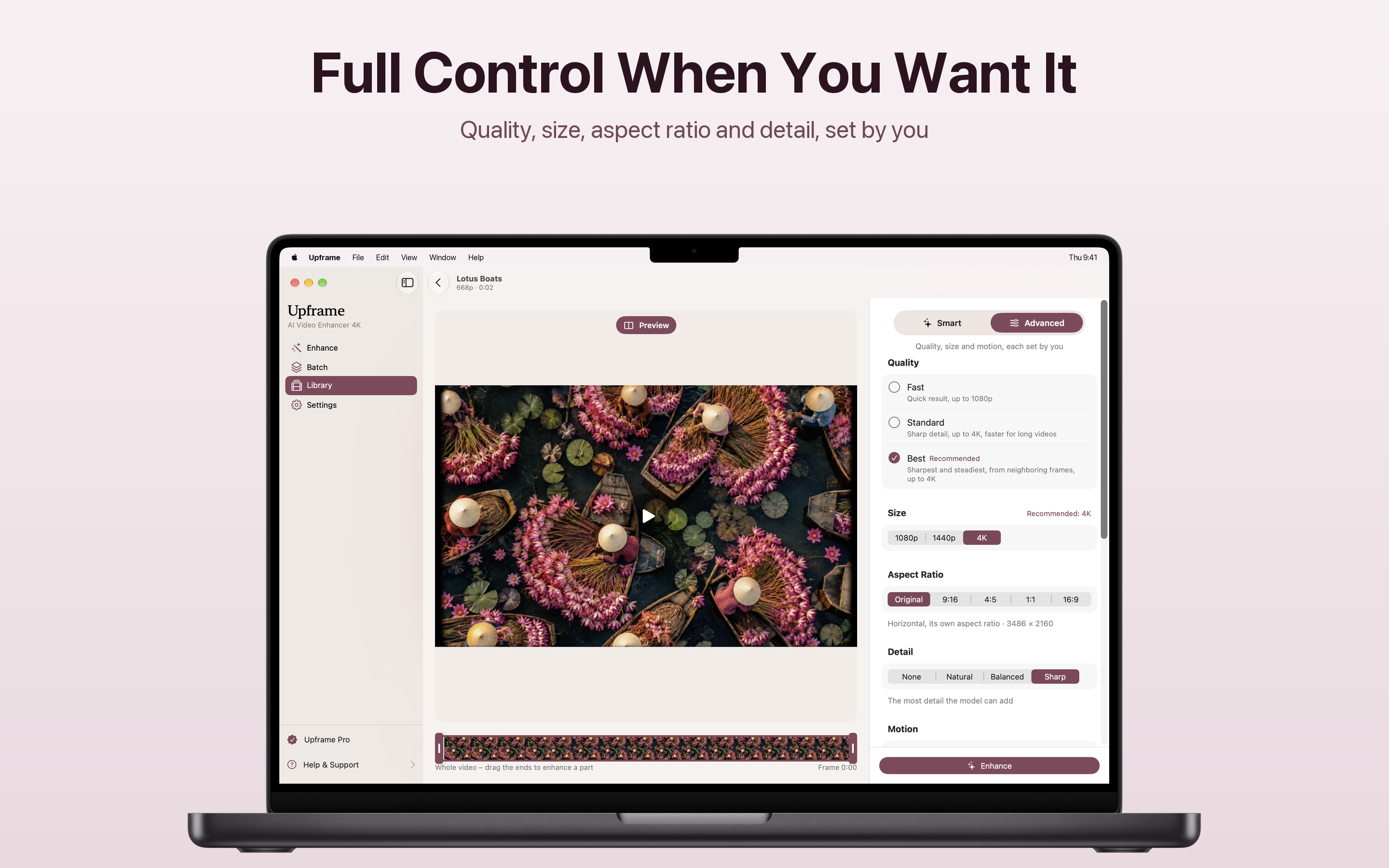
Switch to Advanced for quality, size, aspect ratio, detail and motion.
Stop on any frame and see it before and after, with the settings you chose. Change the size or the detail and the preview follows.
Zoom right in
Drag the slider across the frame and zoom to check hair, text and edges up close.
Only the part you need
Drag the ends of the timeline to enhance just a part of the video.
Up to 4K and 60 fps in a single pass. Upframe makes the in-between frames, so motion looks fluid on today's screens and the length stays the same.
Know how long it takes
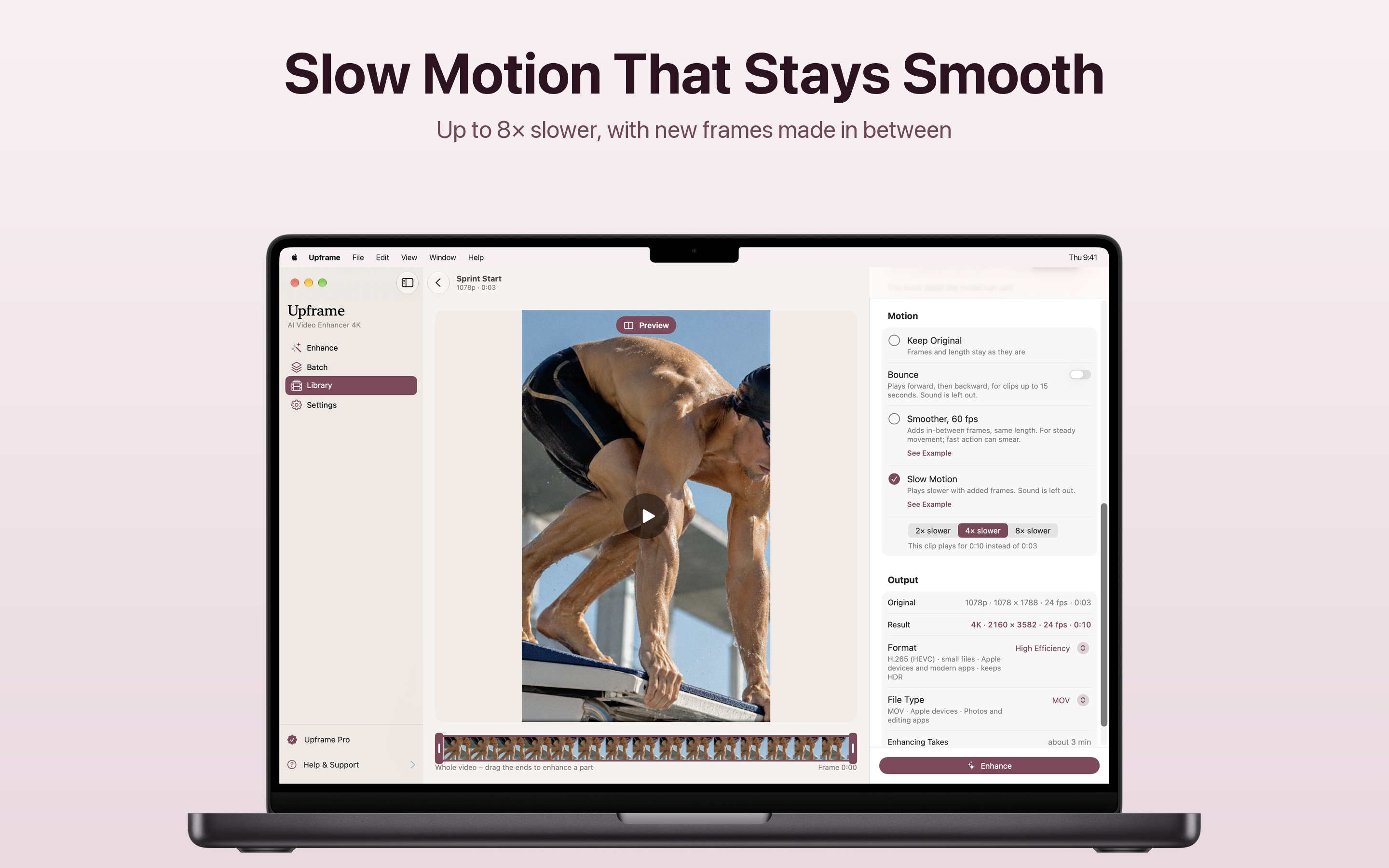
Before you start, Upframe shows the result size, the frame rate and roughly how long the enhancement will take.
Slow a moment down up to 8 times, with new frames made in between instead of the same frame repeated. A dive that is over in a blink becomes a moment you can actually watch.
Bounce
Play a clip of up to 15 seconds forward, then backward, for a loop that never seems to end.
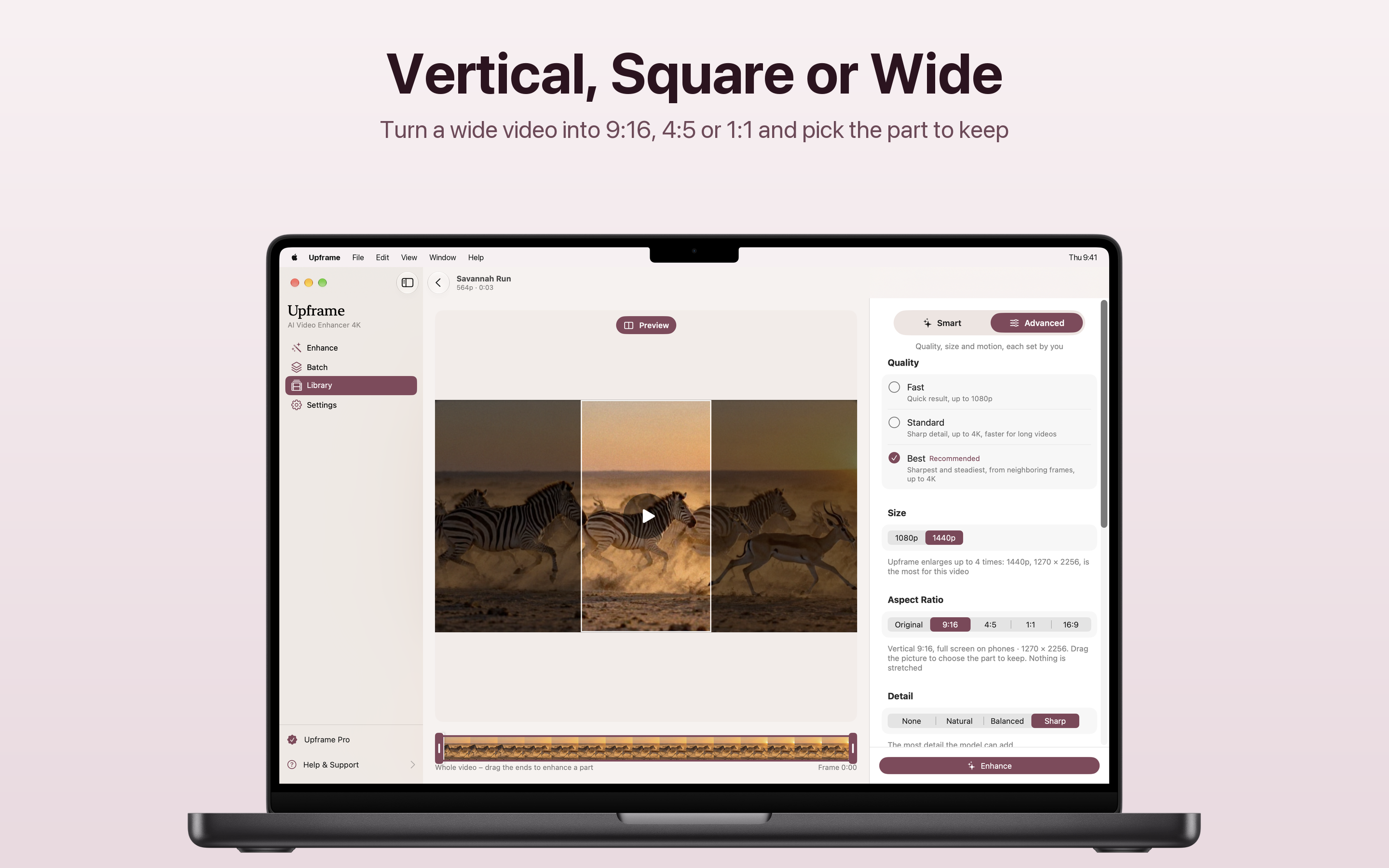
Make a wide video vertical, square or 4:5 and choose the part of the picture to keep. Nothing is stretched.
Full screen on phones
Drag the picture to choose what stays in a 9:16 frame for Stories, Reels and Shorts.
Quality, size, aspect ratio and detail, set by you.
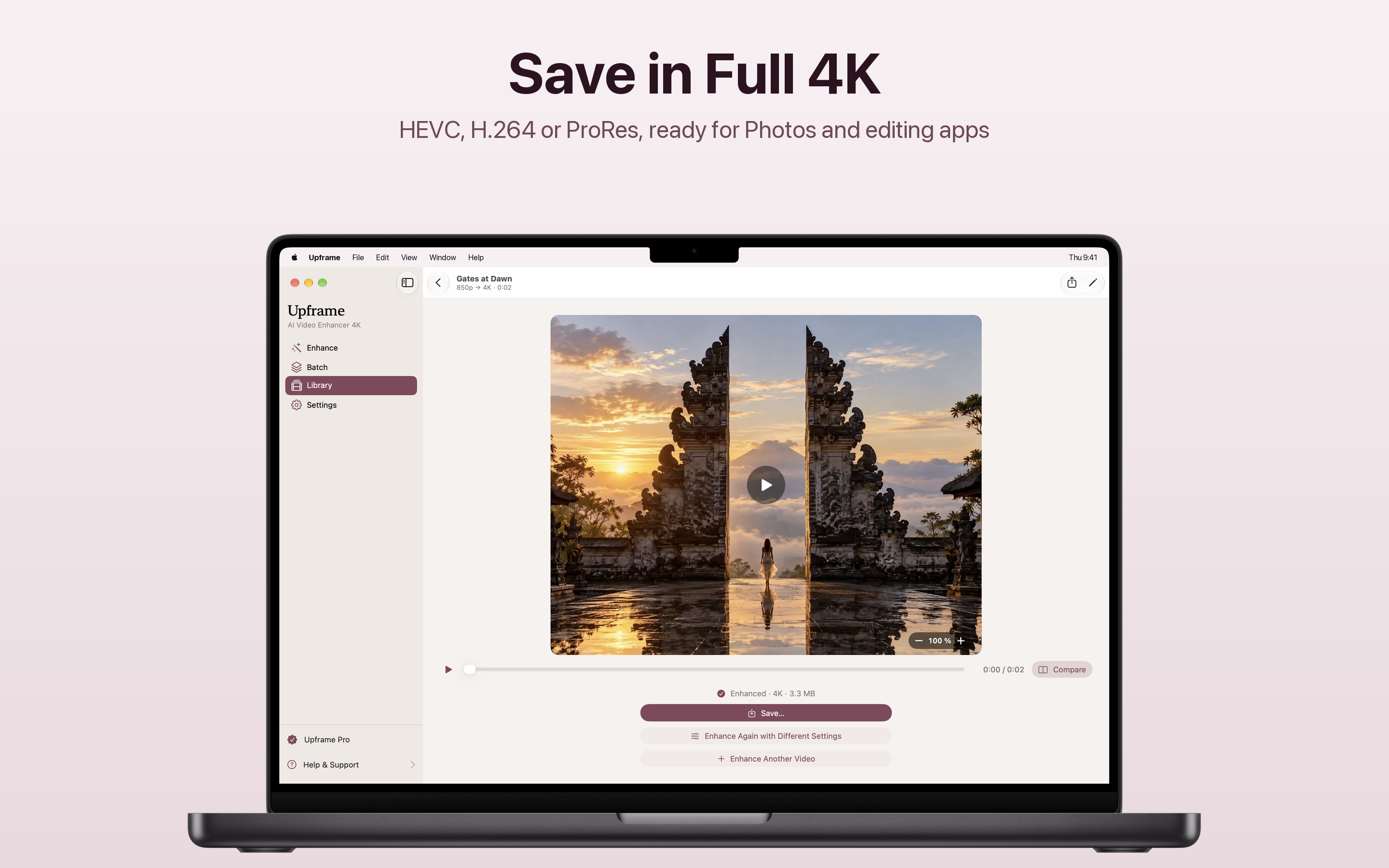
HEVC, H.264 or ProRes, ready for Photos and editing apps.
The details stay
The date, the place and the camera details stay with the enhanced video, and HDR is kept.
Your original is never changed
Enhance again with different settings whenever you like.
Add several videos, set them up once and let Upframe enhance them one after another. Each keeps its own choice if you like.
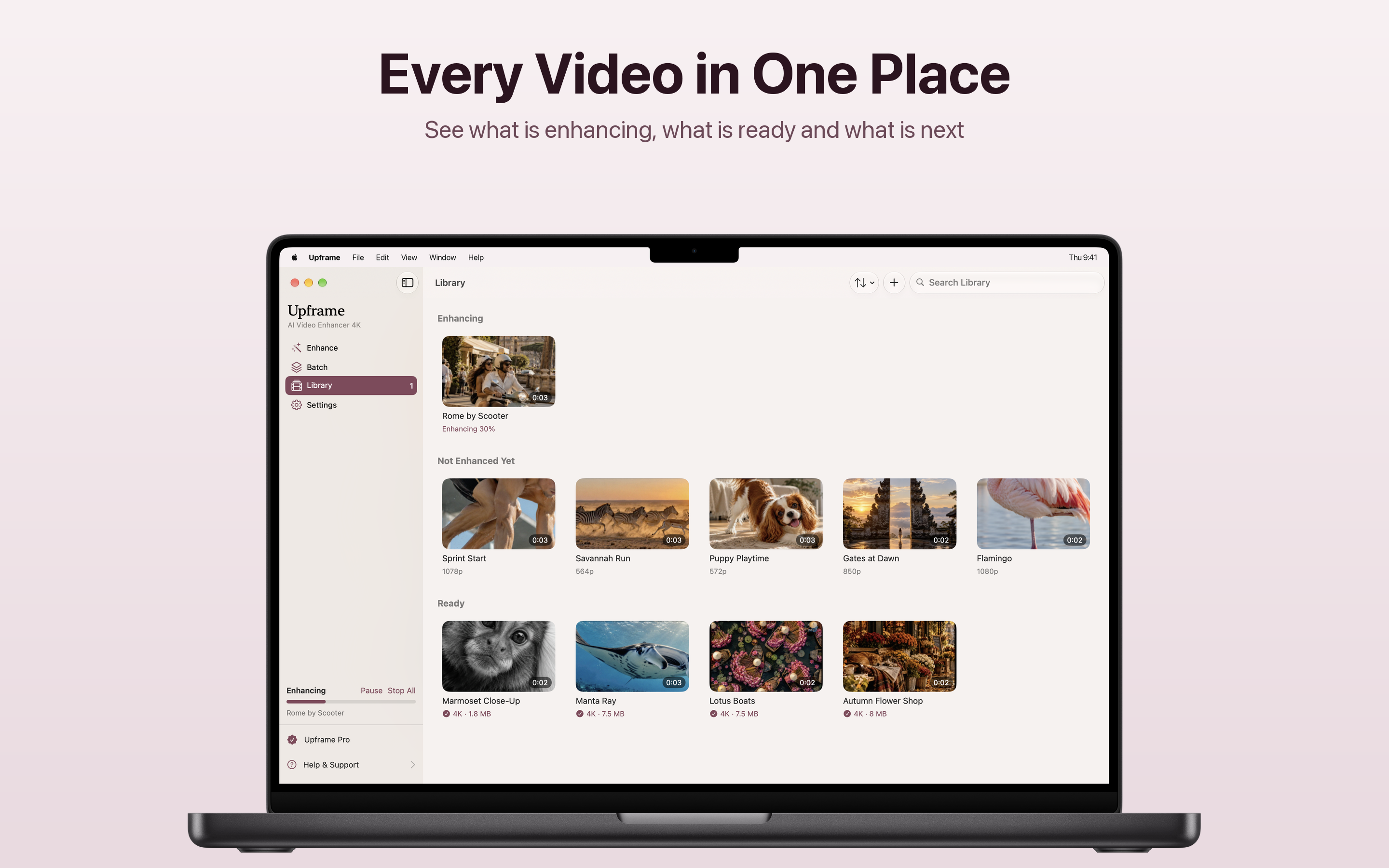
Every video in one place
See what is enhancing, what is ready and what is next, and search the library.
Pause or stop anytime
Progress stays in the sidebar while you keep working.
Each kind of video loses something different. Upframe has settings ready for all of them.
From your phone or camera, made sharper and steadier, up to 4K.
Sent through a messaging app and back blurry and blocky. Cleaner and sharper again.
Generated video often comes out soft and small. Upframe makes it sharper and steadier, up to 4K.
Shot with the zoom and gone soft. Cleaner edges, finer detail.
Gameplay and screen captures with crisp text and edges.
The ones that look small on today's screens, brought up to 1080p, 1440p or 4K.
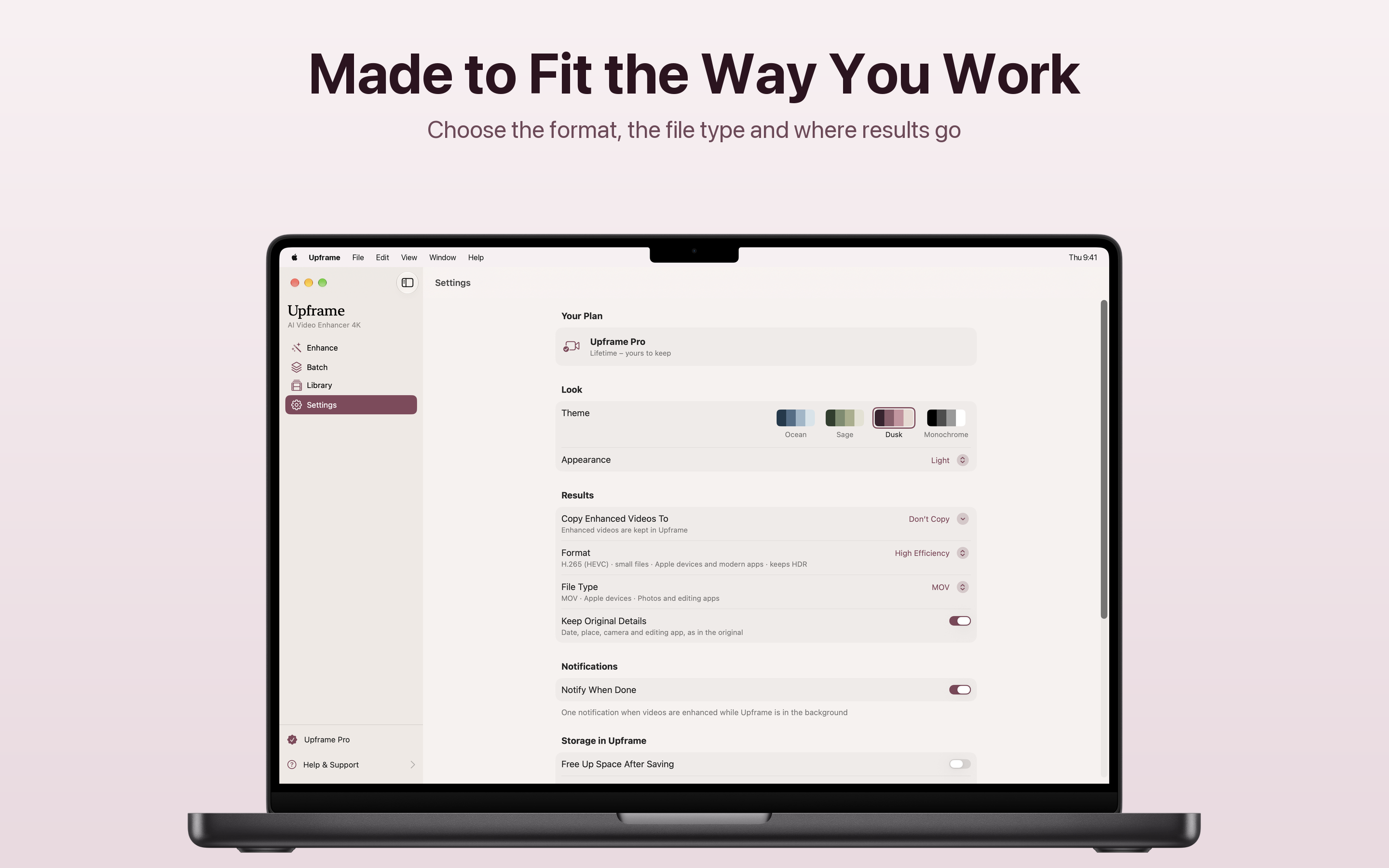
Choose the format, the file type and where results go.
From the first drop to a finished 4K file.
Start with Fast and Bounce. Pro unlocks the AI enhancement, as a subscription or a one-time purchase.
No account, no credits, no time limit.
Everything in Free, plus:
Payment is charged to your Apple Account. Subscriptions renew automatically unless cancelled at least 24 hours before the end of the current period. Manage or cancel anytime in your Apple Account settings. The lifetime purchase is a one-time payment. Terms of Use · Privacy Policy
The things people ask before they download.
Upframe is an AI video enhancer for Mac. It brings back the detail videos lose on the way to you - a clip that came back blurry and blocky from a messaging app, a zoomed-in shot that turned soft, an older video that looks small on today's screens - and makes it sharp, up to 4K. It can also make motion smoother at 60 fps or slow a moment down.
Choose a video and Upframe recognises what it is: an everyday clip from your phone, a video that came through a chat, a zoomed-in shot, a screen recording or a clip made with AI. It picks the right enhancement for it. You can also set the quality, size, aspect ratio, detail and motion yourself.
No. Everything happens on your Mac. No uploads, no account, no credits to count, and it works offline. Your originals are never changed.
Upframe opens MOV, MP4 and MKV videos from your Mac or an external drive, and saves in HEVC (H.265), H.264 or ProRes, ready for Photos and editing apps. HDR is kept, and the date, the place and the camera details stay with the enhanced video.
Yes. Turn a 30 fps video into a smooth 60 fps, or slow a moment down 2, 4 or 8 times, with new frames made in between. You can also make a short clip play forward and then backward with Bounce.
Upframe is free to try with Fast, a quick result up to 1080p, and Bounce. Upframe Pro unlocks the AI enhancement up to 4K, smoother motion, slow motion and batches, as a monthly or yearly subscription or a one-time purchase.
macOS 14 or later. There is no account to create and no internet connection needed to enhance a video.