Your file remembers
See what your documents, PDFs, photos and ZIPs reveal to the person you send them to, then send a clean copy. Everything is checked on your Mac, and nothing leaves it.
You worked on a file for weeks, and it remembers all of it: the folder it was saved in and what you called that folder, who left comments, how the final price was agreed, the version before last, your name. None of it shows on the page, but all of it can be seen by the person you send it to. Leakless shows it to you first.
Available on macOSWhat everyone sees on top, what hides underneath. You understand the risk in a second, not after reading a list of metadata fields.
Leakless reads inside documents, spreadsheets, presentations, PDFs and ZIP archives, where the costly mistakes live.
Every check and every clean copy happens on your Mac. No network connections, no account, no data collected.
A document, a spreadsheet, a deck, a PDF, a photo or a whole ZIP. The check takes seconds.
The comment, the name, the folder, the deleted sentence or the formula with your commission, sorted by how much it matters.
CriticalWho and whereFor your informationWhat everyone sees stays as it is, the hidden layers go, and your original is never changed.
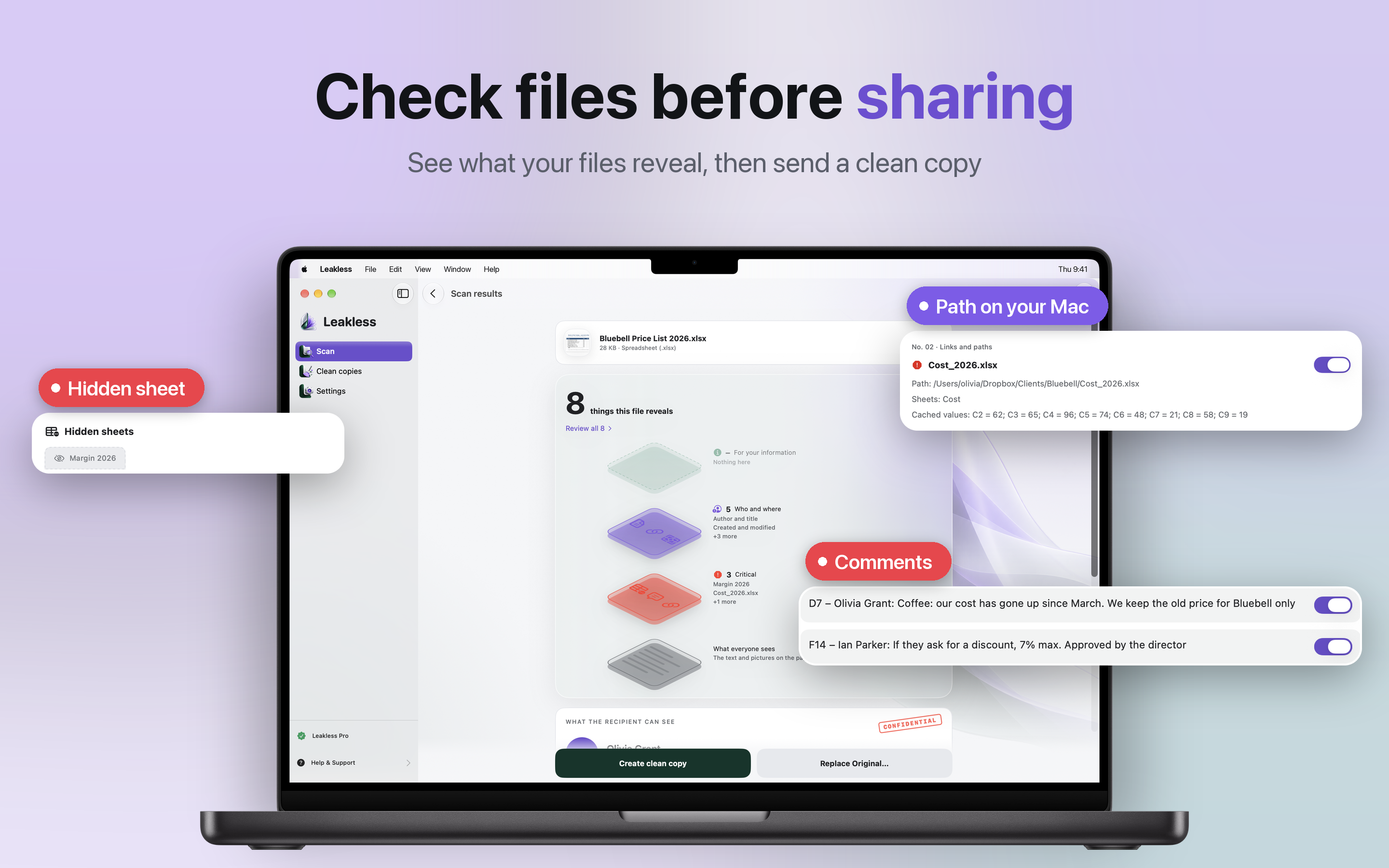
A price list goes in, and you see the hidden sheet, the comments and the folder on your Mac. Then one click makes the clean copy.
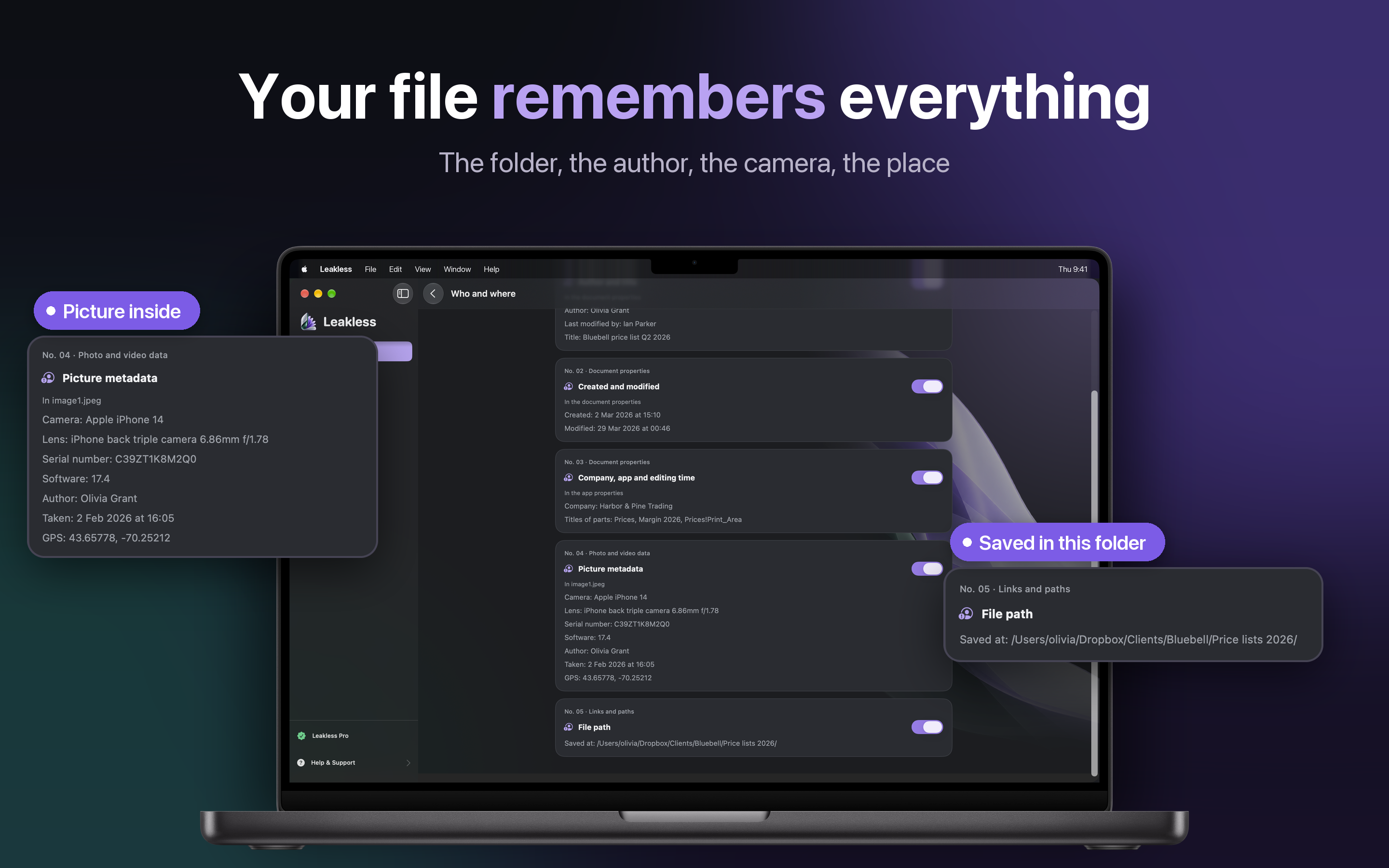
The author and whoever touched it last, the company, how long it was edited, the app that made it. And the full path of the folder it was saved in, client name included.
Saved at: /Users/olivia/Dropbox/Clients/Bluebell/Price lists 2026/
Pictures inside the document
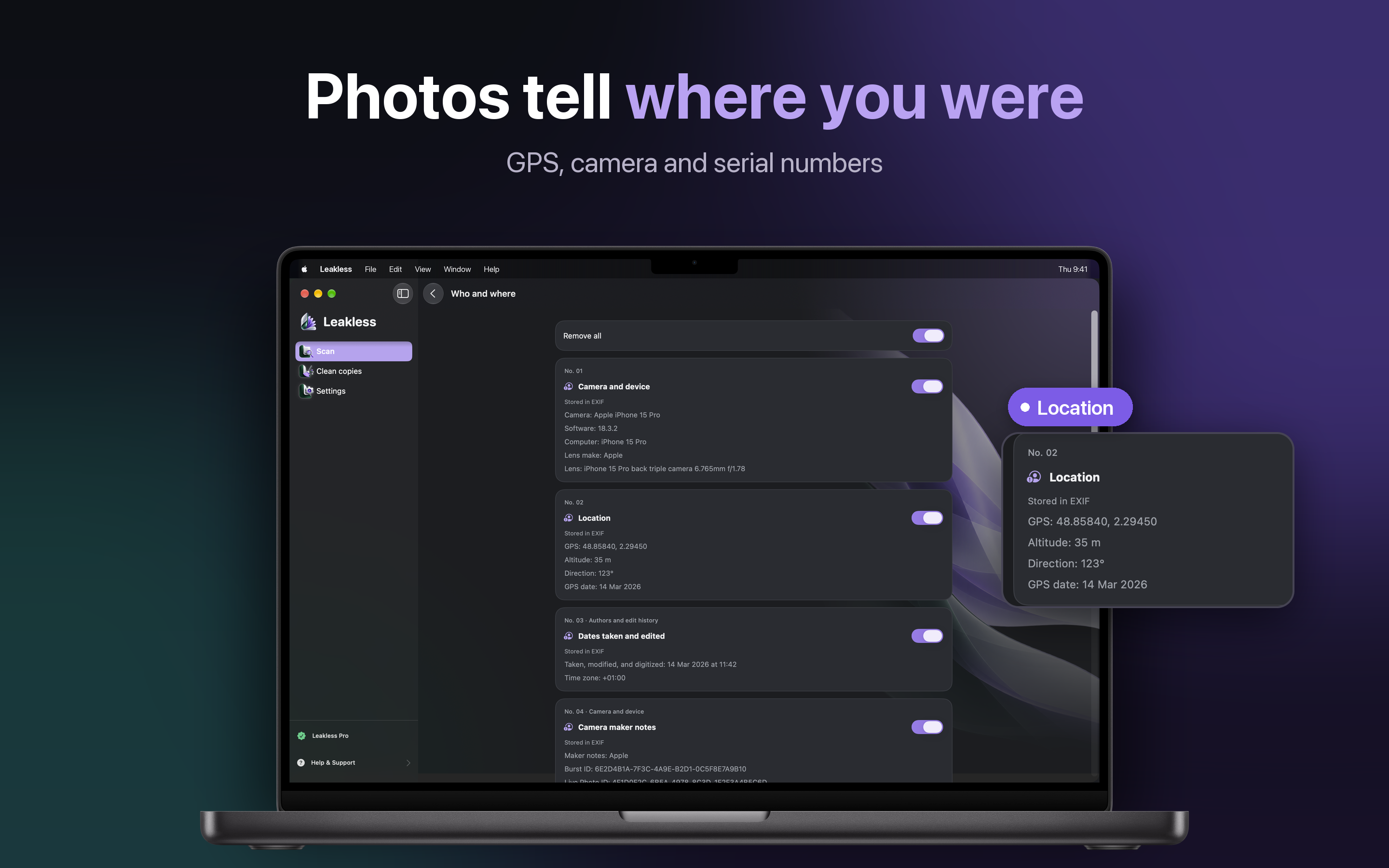
A photo pasted into a report still carries the camera, the serial number and where it was taken.
Template paths and printers
The template it came from and the printer names, which say more about your office than you would think.
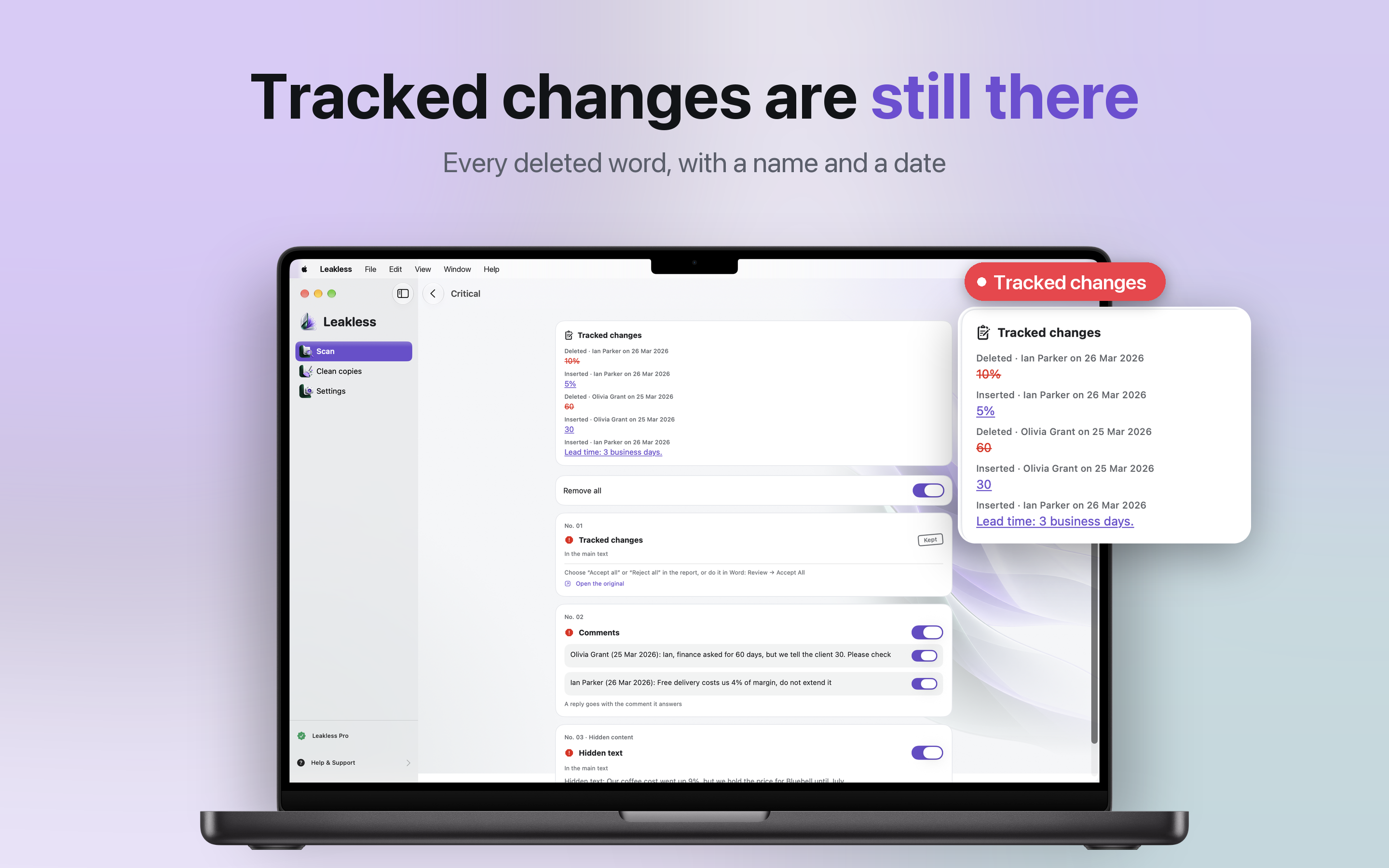
Every deleted word, with a name and a date. The 10% you crossed out and replaced with 5% is one click away for the person who gets the file.
Comments and who wrote them
Including the replies, the ones you resolved and the ones you forgot to.
Hidden text
Text formatted as hidden does not print and does not show, but it is still in the file.
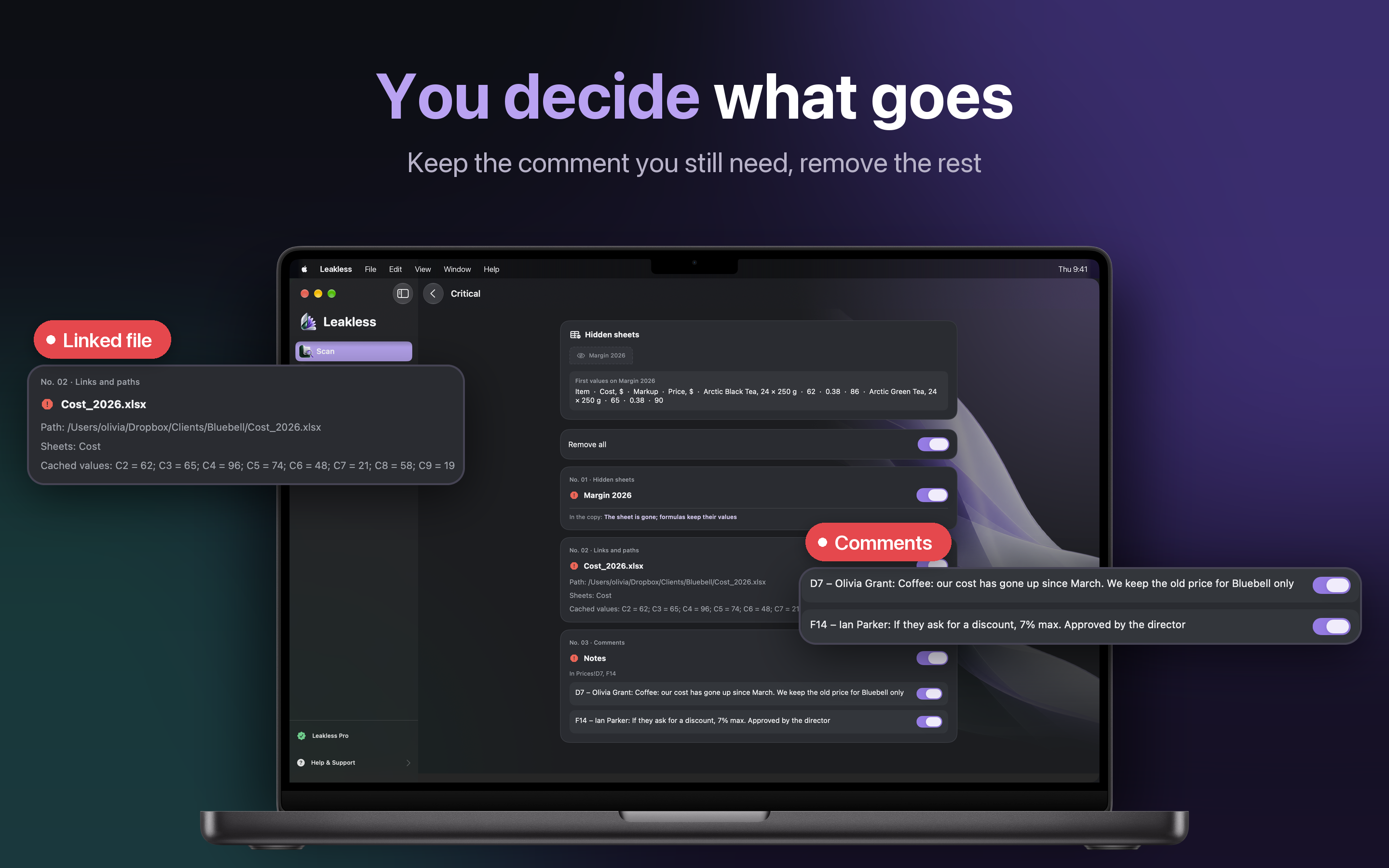
Hidden sheets with everything on them, links to other files on your Mac with their last values, and cell notes. Each finding has its own switch, so you decide what goes.
F14 - Ian Parker: If they ask for a discount, 7% max. Approved by the director
Keep what you still need
Keep the comments you need or accept the tracked changes, and remove everything else.
Data behind charts
Files and spreadsheets embedded inside, including the numbers a chart was drawn from.
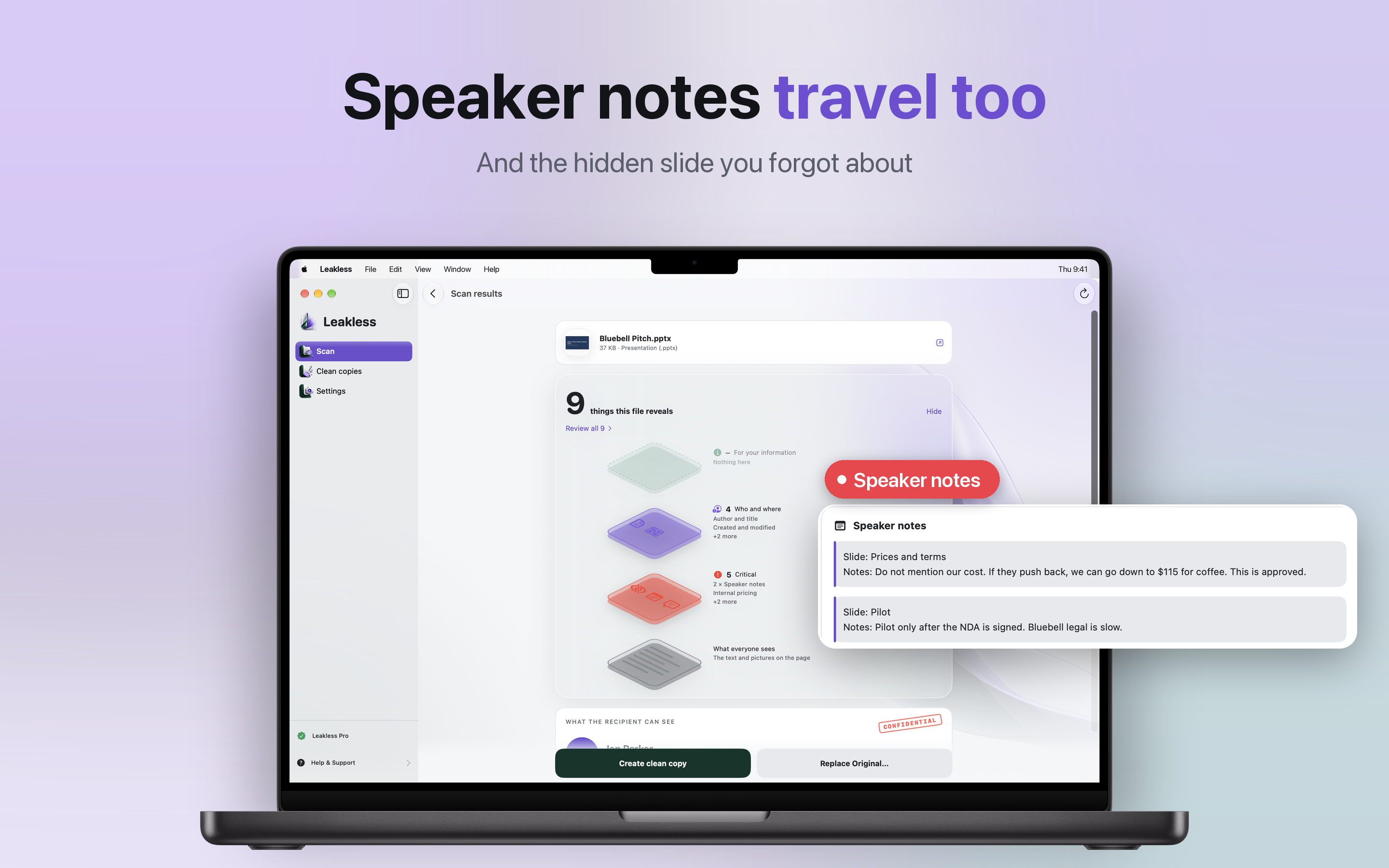
The notes you wrote for yourself go out with the deck, and so does the hidden slide you forgot about.
Slide: Pilot. Notes: Pilot only after the NDA is signed. Bluebell legal is slow.
Present it, then send it
Clean the copy you email after the meeting and keep your notes in the original.
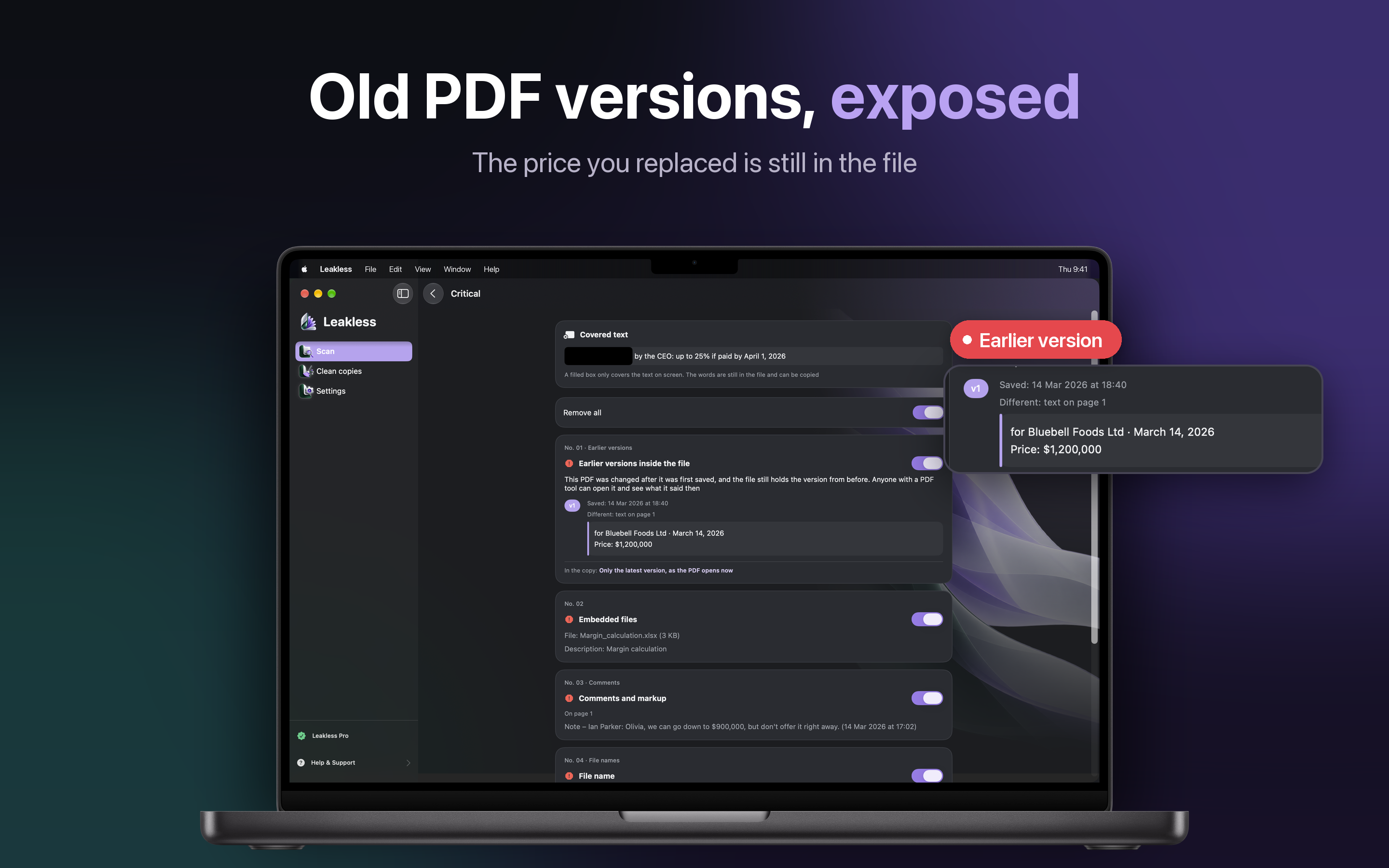
A PDF that was changed after it was first saved often still holds the version from before. Anyone with a PDF tool can open it and see the price you replaced.
Black boxes are not redaction
A filled box laid over text only covers it on screen. Leakless points it out, because the words are still there and can be copied.
Attachments and annotations
Attached files, comments and markup, links to files on your computer, and text cut off at the page edge that is still there in full.
GPS location down to the street, camera and serial numbers, and the dates it was taken and edited. JPEG, HEIC, PNG, WebP and GIF.
The uncropped thumbnail
Some photos keep a small hidden preview that can still show the picture as it was before you cropped it.
Editing history and authors
Which apps touched the photo and whose name went into it along the way.
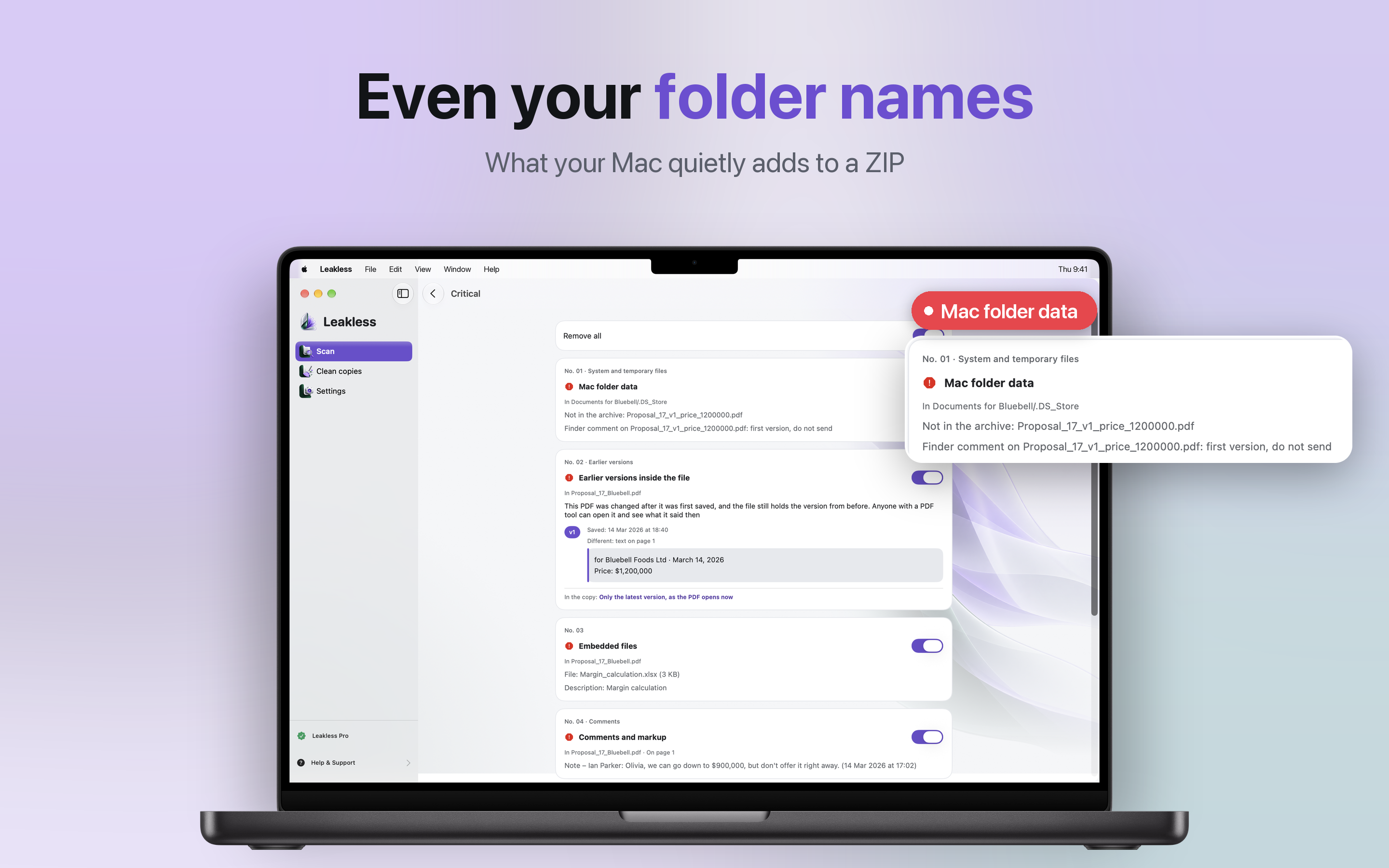
When your Mac makes a ZIP, it quietly adds .DS_Store and __MACOSX files. They can list the other files in your folder, even the ones you left out of the archive.
Finder comment on Proposal_17_v1_price_1200000.pdf: first version, do not send
Every file inside, one by one
Each supported file in the archive is checked and cleaned, plus archive comments and dates.
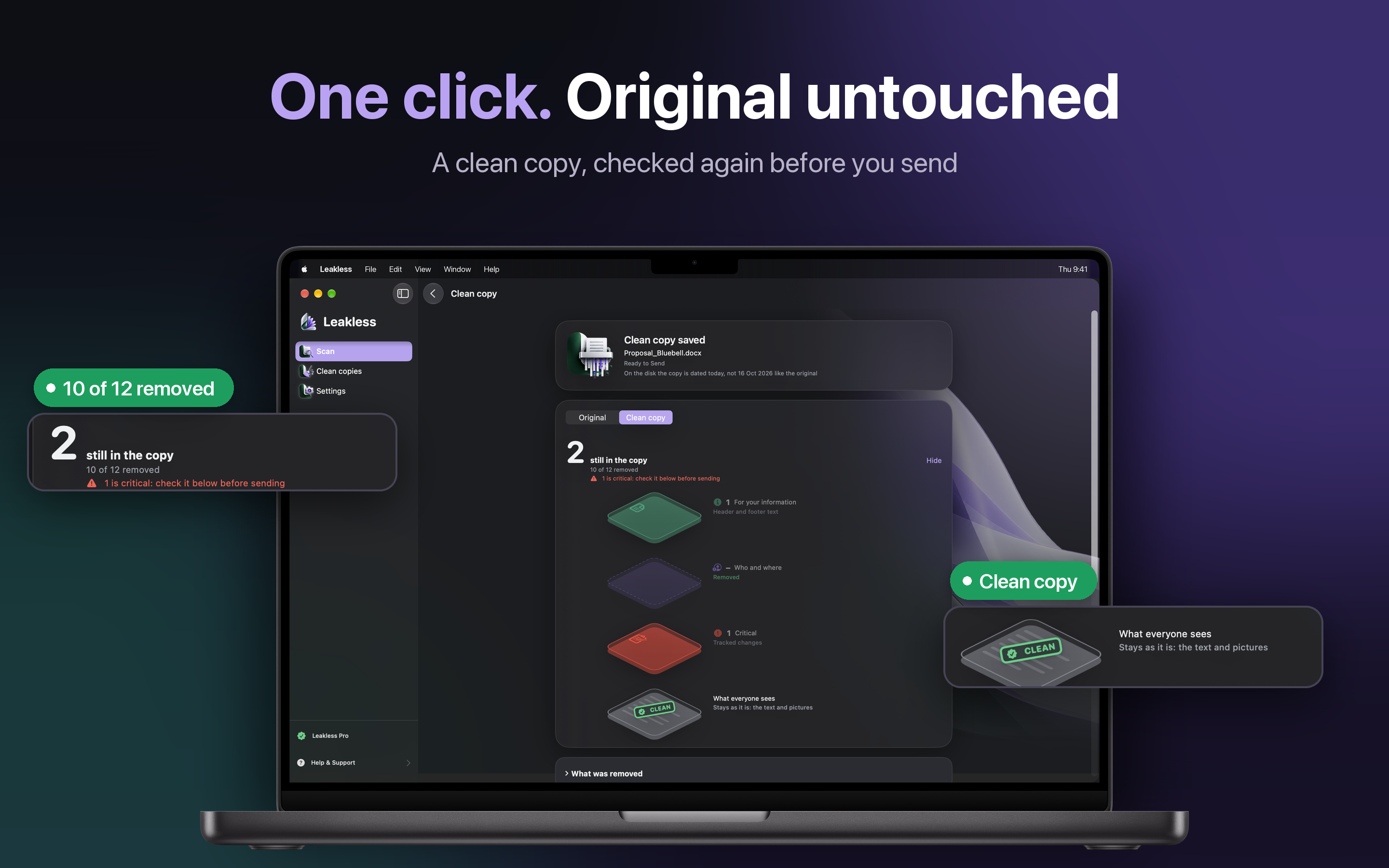
What everyone sees stays as it is: the text and the pictures. The hidden layers go, and your original is never changed.
Checked again before you send
The copy goes through the same check, so you see what is still in it and what was removed.
The file name too
Leakless checks the name and can drop words like "internal" or "draft" from the copy.
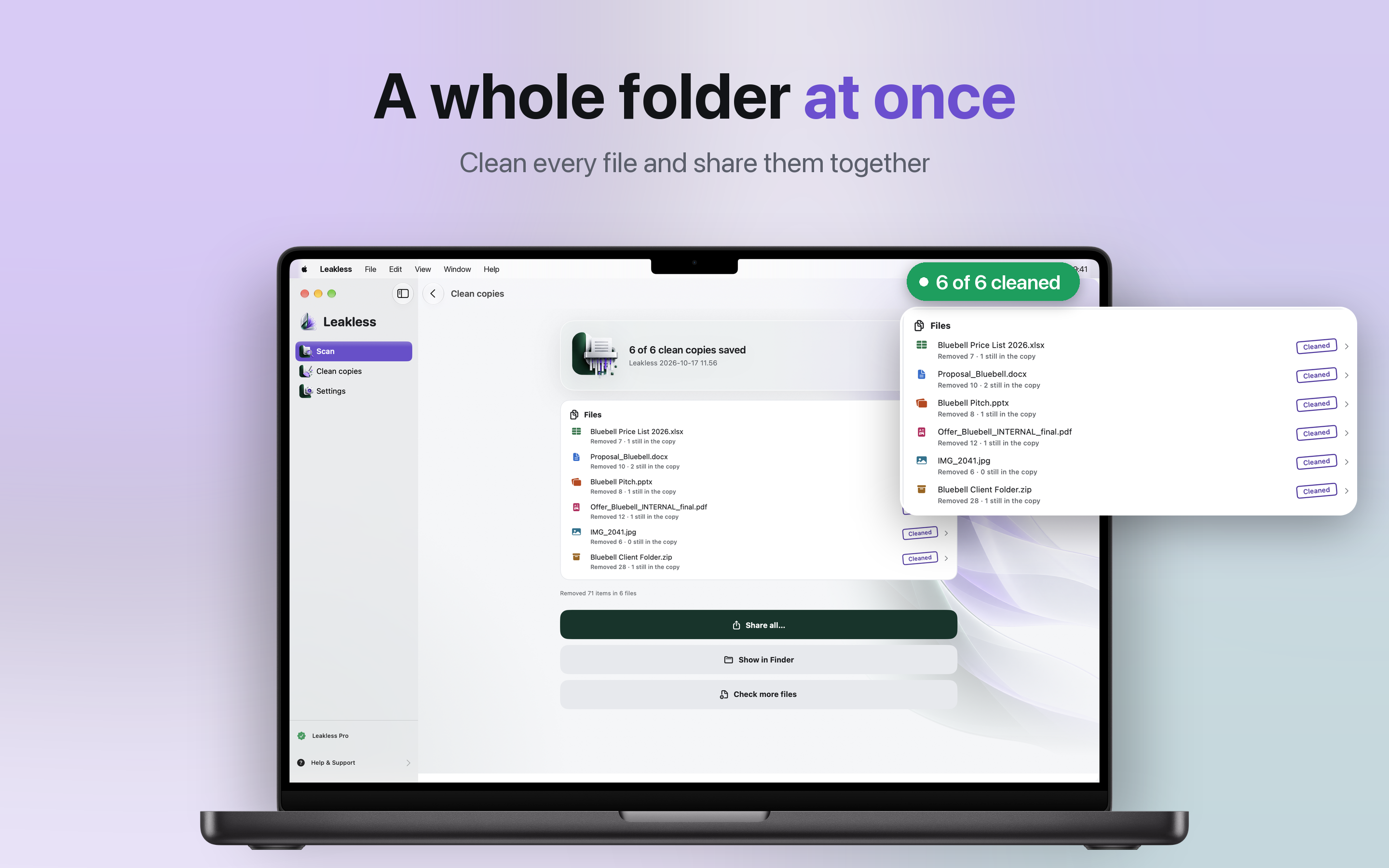
Drop the price list, the proposal, the deck, the PDF, the photo and the ZIP together. Clean every file and share them in one go.
Format by format, here is what Leakless looks for.
DOCXXLSXPPTXtemplates
JPEGHEICPNGWebPGIF
ZIP
ODTODSODPRTFTXTSVGDOCXLSPPT
Some things are better fixed in the app that made the file. Leakless says so plainly:
Real files, real findings, and the clean copy at the end.
Anyone who sends files to people outside the room: clients, landlords, recruiters, the other side of a deal.
Checking files never costs anything. Pro is one purchase, with no subscription.
No account, no time limit.
Everything in Free, plus:
Leakless Pro is a one-time in-app purchase billed through your Apple Account. Restore it anytime from the app, and share it with your family through Family Sharing.
The things people ask before they download.
Leakless shows you what a file reveals before you send it. Drop a document, spreadsheet, presentation, PDF, photo or ZIP archive on it, and in seconds you see what the recipient could find - comments, tracked changes, names, the folders it was saved in, hidden sheets, a photo location - sorted from Critical to For your information. Then it creates a clean copy without the hidden layers.
Word, Excel and PowerPoint files (DOCX, XLSX, PPTX and their templates) and the older .doc, .xls and .ppt, PDF, photos in JPEG, HEIC, PNG, WebP and GIF, and ZIP archives. It also reads OpenDocument files, RTF and plain text, where it looks for invisible characters, and SVG drawings.
No. Every check and every clean copy happens on your Mac. Leakless makes no network connections, needs no account and collects no data.
No. The clean copy is a new file and your original is never changed. What everyone sees stays as it is, only the hidden layers go. You also decide what goes: keep the comments you still need or accept the tracked changes, and remove everything else.
A few things it points out rather than removes, and it says so: the full source data behind a pivot table, black boxes laid over text instead of a real redaction, macros and form field values. You see them in the report, so you can fix them in the app that made the file before you send it.
Checking files is free, as often as you like, and sample files show what Leakless finds before you open your own. Your first 3 clean copies are free too. Leakless Pro adds unlimited clean copies, several files at once and ZIP archives. It is a single purchase with no subscription, shared by you and 5 more members of your family through Family Sharing.
macOS 14 or later. There is no account to create and no internet connection needed.
An app that reads your private files should not be sending them anywhere. Leakless has no account and no cloud, and it makes no network connections: every check and every clean copy happens on your Mac.
No account
No network
macOS native
Requires macOS 14 or later.