PacketWarden logo

PacketWarden - App Firewall & Network Monitor

PacketWarden shows every outgoing connection your apps make, and it lets you stop the ones you never agreed to. Nothing is routed through a remote server and nothing about your traffic is uploaded - the filtering happens on your Mac.

Available on macOS
Watch Every Connection

Live network activity as it happens, app by app, with the destination host, IP, port, protocol, country and bytes moved in and out.

Block With One Click

Take an app off the network from the Applications list, or add a domain rule to stop one host everywhere. Rules apply right away.

Everything Stays Local

No account, no sign in, no cloud. Connection history lives in a local database and GeoIP lookup runs offline.

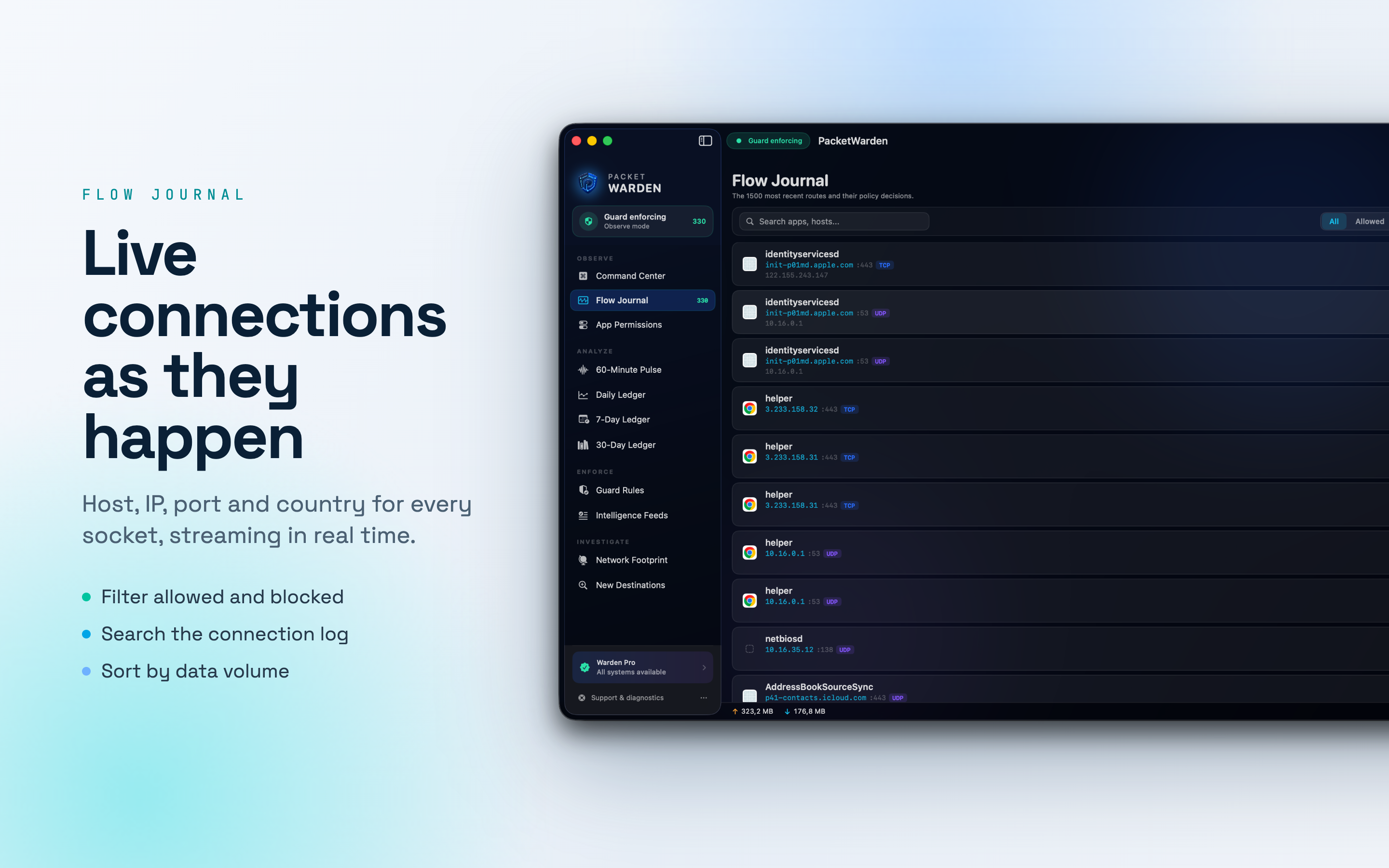
PacketWarden Flow Journal listing live connections with host, IP, port and protocol
Flow Journal

Live connections as they happen

The list comes from the system network filter, so it covers the whole machine and not just one browser. Each row names the app and where it went.

init-p01md.apple.com :443 TCP

Search, filter and sort
Search by app or host, filter to allowed or blocked, and sort by time or data volume to bring the loudest app to the top.

Export to CSV
Take the connection log with you when you want a record you can keep or open elsewhere.

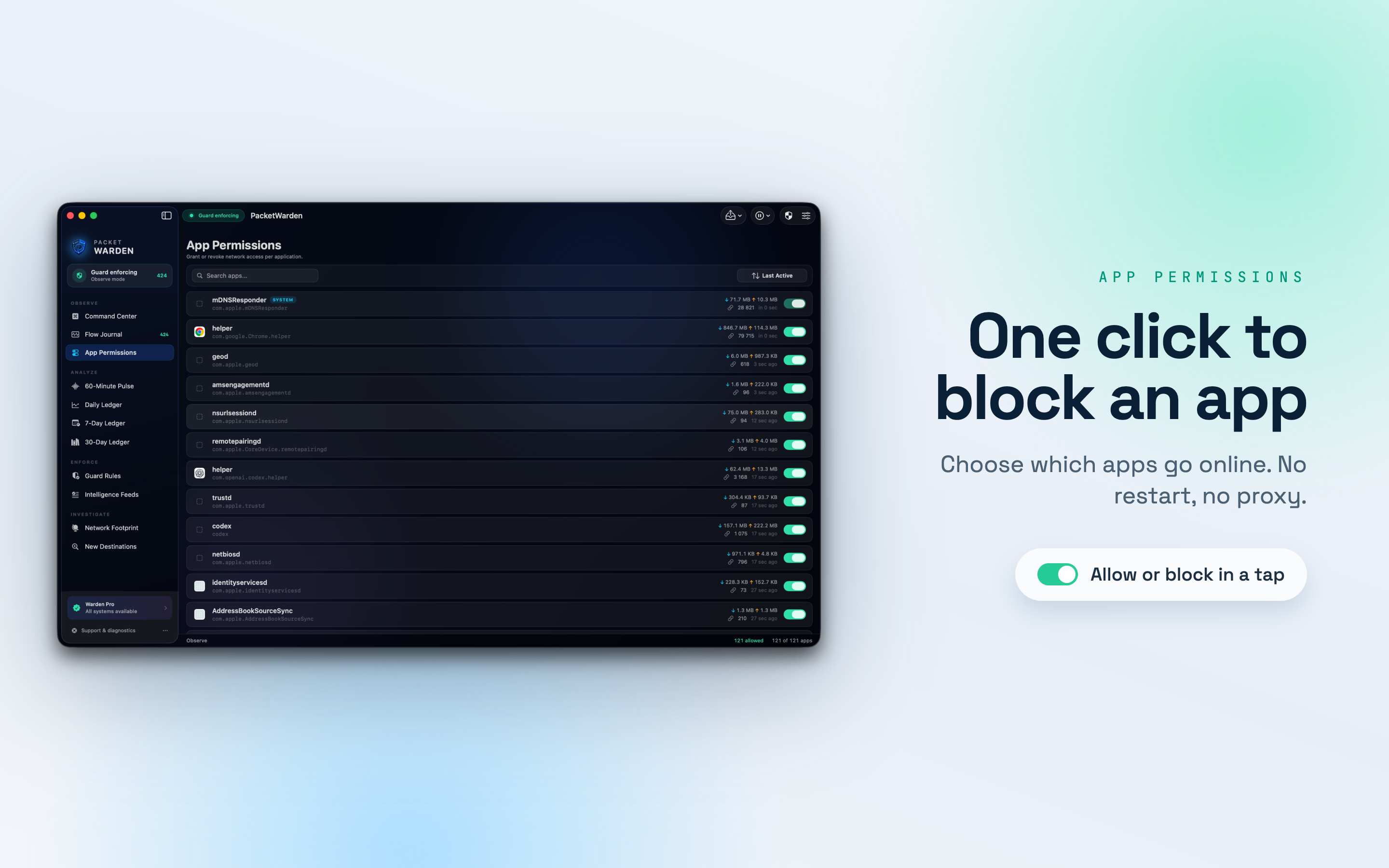
PacketWarden App Permissions list with a toggle to allow or block each app
App Permissions

One click to block an app

Every app that has touched the network sits in one list with what it has sent and received. Flip the switch and it stops connecting.

No restart, no proxy
Rules take effect immediately. There is no VPN profile to install and no tunnel to configure.

Domain rules too
Stop a single host across every app on the Mac instead of hunting it down app by app.

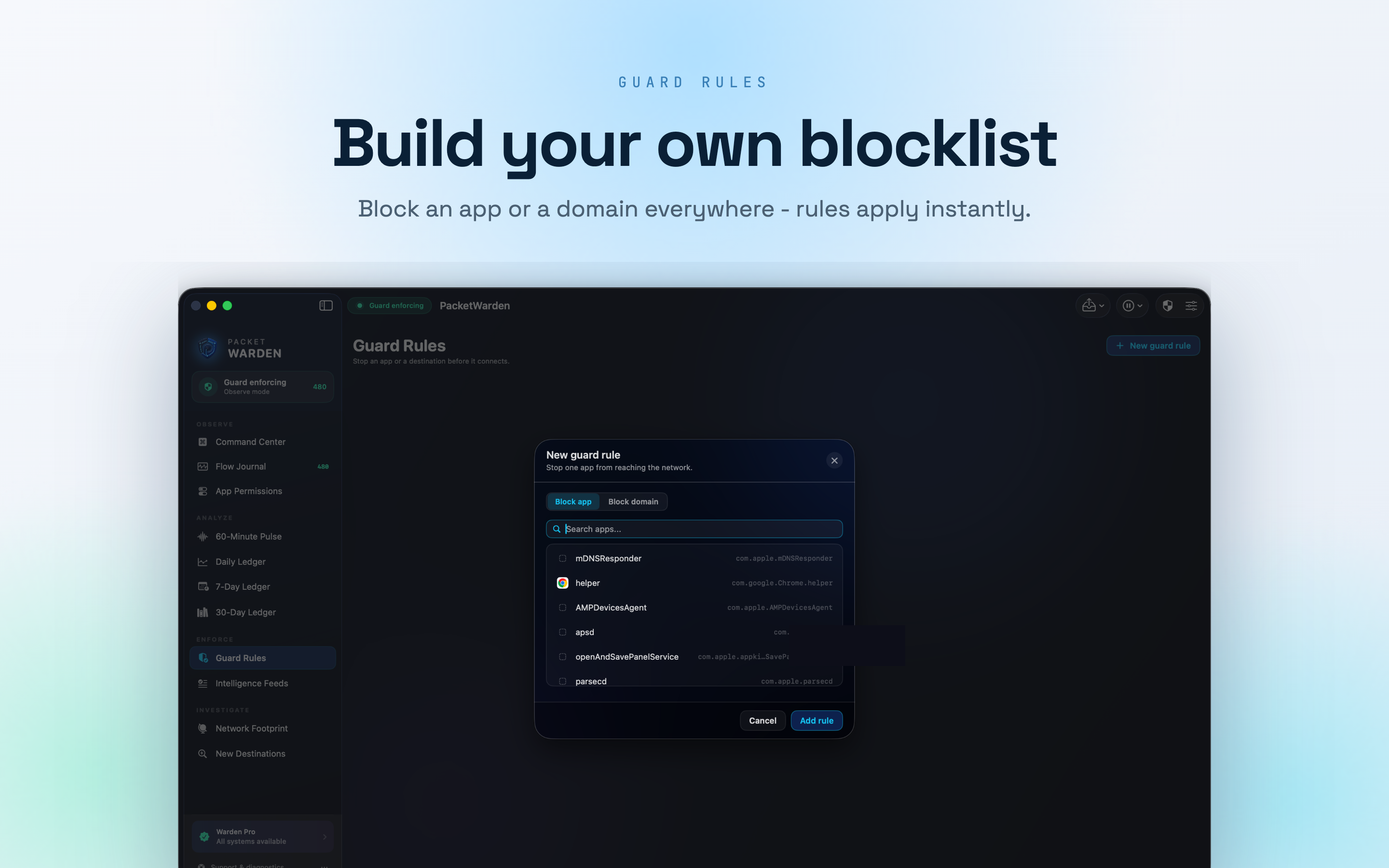
PacketWarden Guard Rules dialog for blocking an app or a domain
Guard Rules

Build your own blocklist

Block an app or a domain, review what you have blocked in one place, and export your rules so a new Mac starts where this one left off.

Two modes of control
Blocklist lets everything through except what you deny. Allowlist flips it: nothing connects until you approve it.

Lockdown and pause
Use lockdown when you want silence, then pause the guard for a few minutes when you need traffic back.

Day One

What people find in the first hour

You cannot decide what to allow until you can see it. These turn up on almost every Mac.

The note taking app

Pinging an analytics host every single minute, whether or not you have it open.

The game you finished

Still opening ad connections in the background, months after the last time you played.

The old utility

Uploading crash reports to a server that shut down years ago, retrying forever.

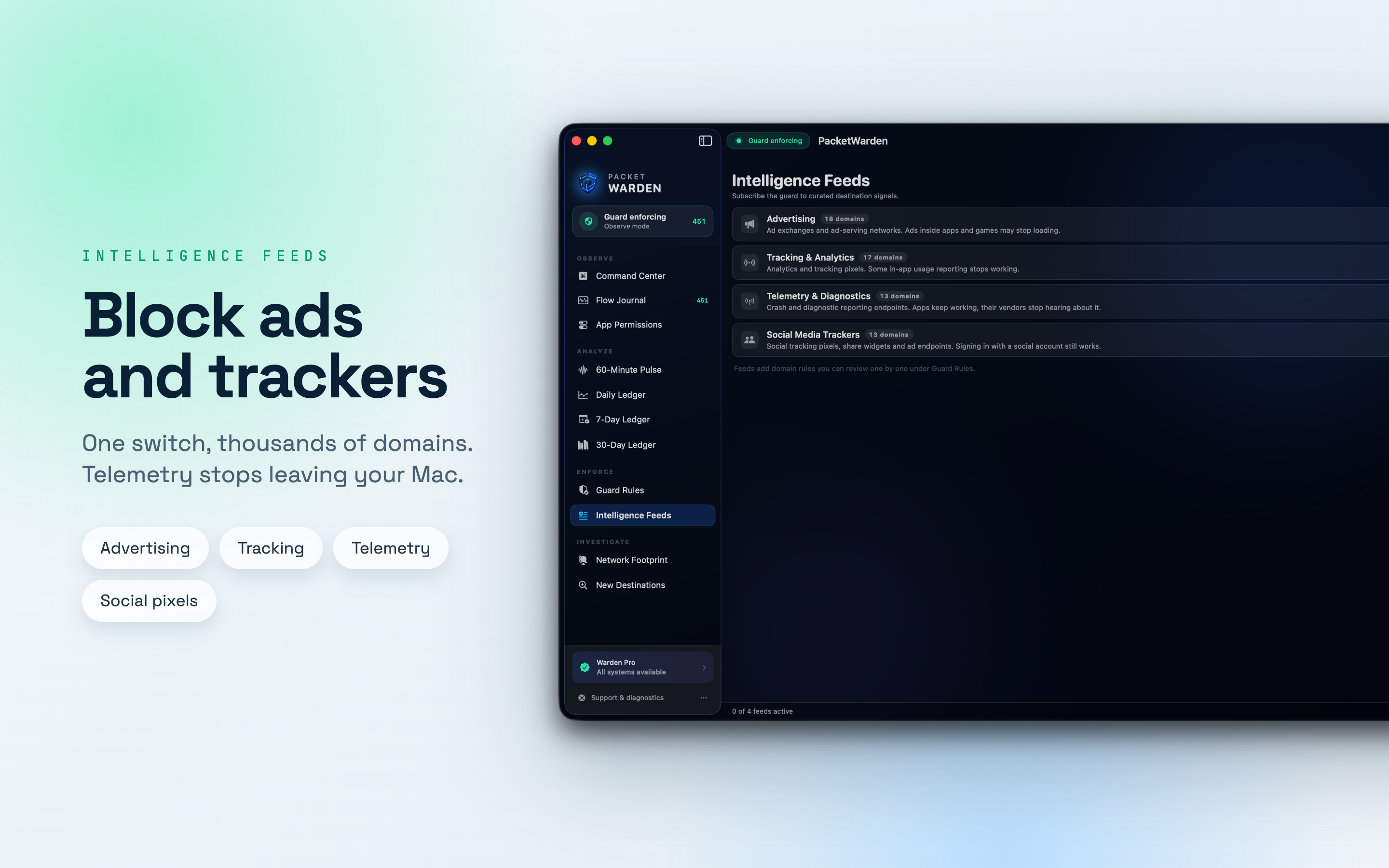
PacketWarden Intelligence Feeds with advertising, tracking, telemetry and social pixel lists
Block Lists

Stop ads and trackers Mac-wide

Load curated lists of ad, tracker and telemetry domains and stop them across the whole machine in one step. Each feed says up front what might stop working.

Advertising, tracking, telemetry, social
Four categories you can switch on and off independently.

Still your call
Feeds add domain rules you can review one by one under Guard Rules, and remove any you disagree with.

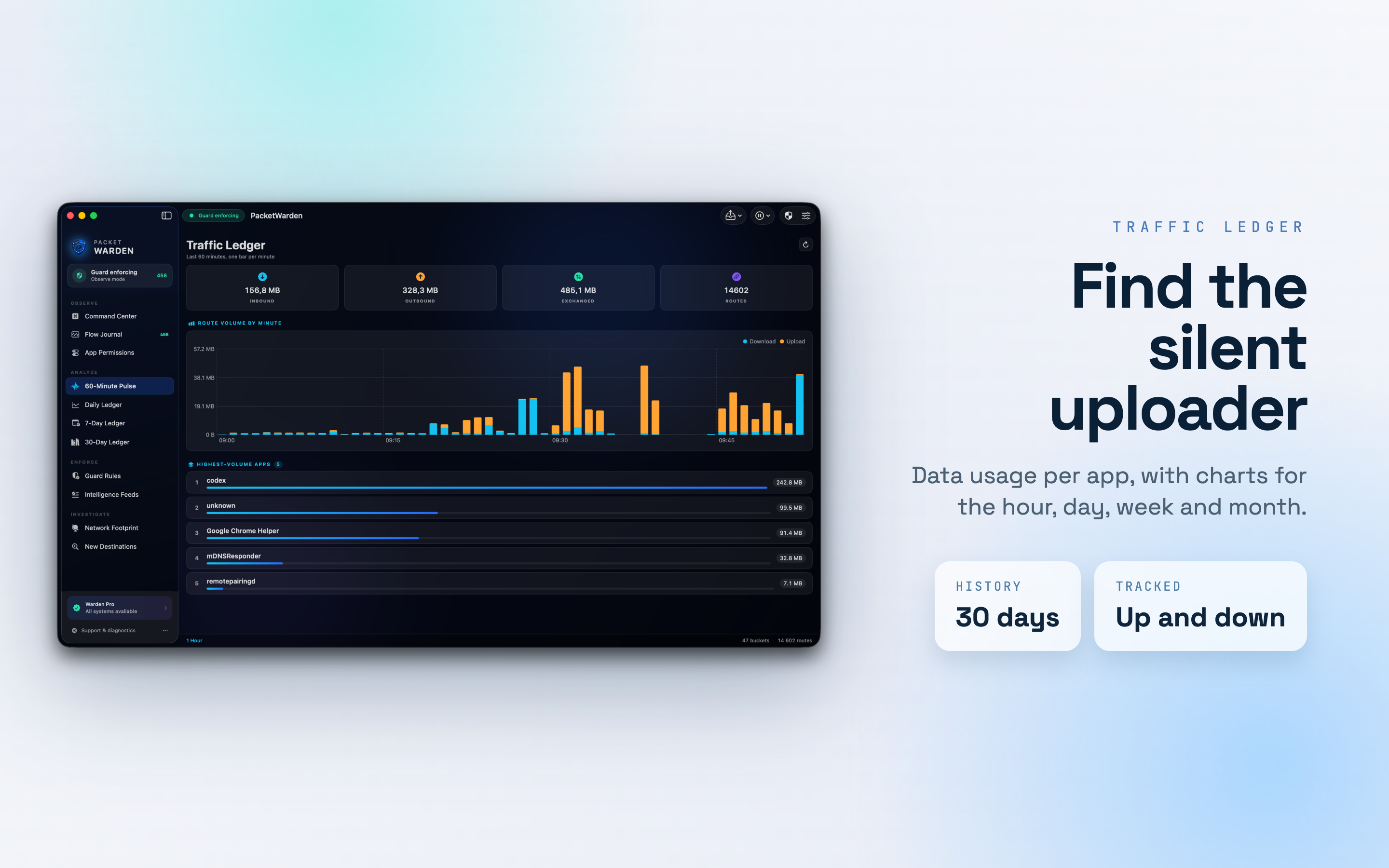
PacketWarden traffic ledger charting data volume per app by the hour
Traffic History

Find the silent uploader

Charts by hour, day, week and month show which apps used the network and how much data they moved. Find the app that has been uploading all week and decide what to do about it.

Up and down, per app
Inbound and outbound are counted separately, so a quiet download and a loud upload never look the same.

30 days of history
Long enough to catch the thing that only phones home on a Sunday night.

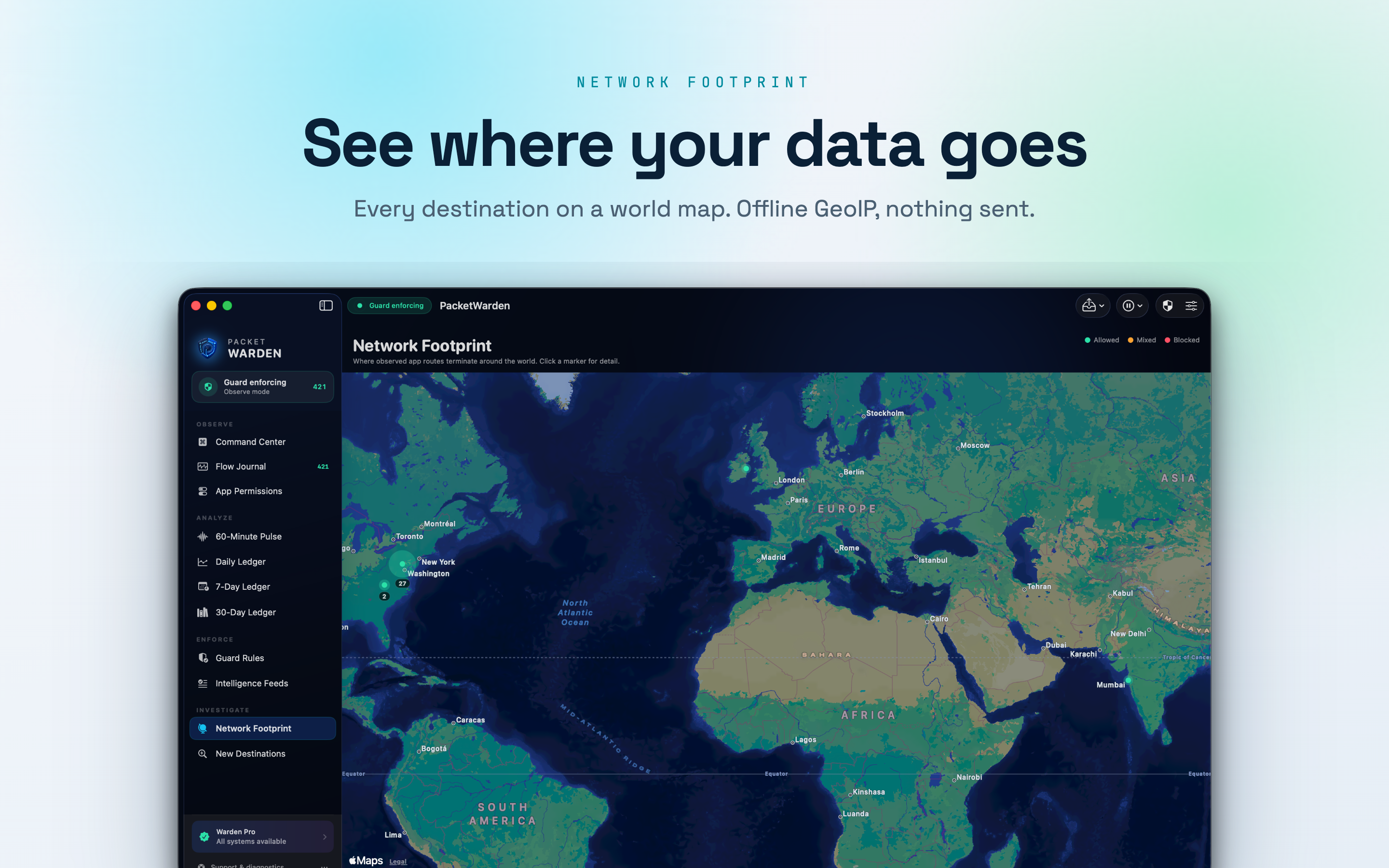
PacketWarden connection map plotting destinations on a world map
Connection Map

See where your data goes

Destinations plotted on a world map from a local GeoIP database. See at a glance when an app reaches a country you did not expect, then click a marker for the detail.

Allowed, mixed and blocked
Markers are colour coded, so a country you are still letting through is easy to spot.

Offline lookup
The GeoIP database lives on your Mac. No address of yours is sent anywhere to draw the map.

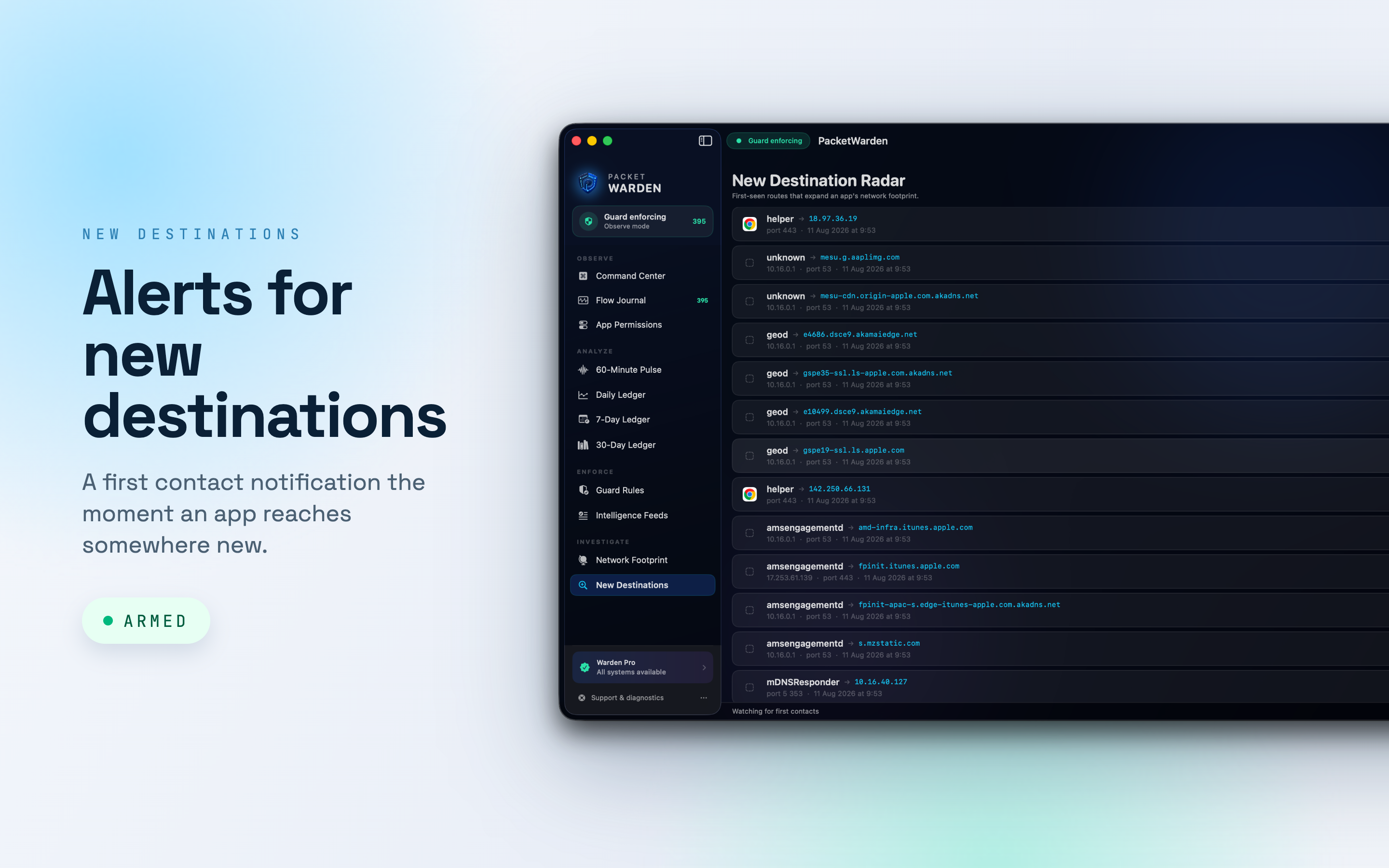
PacketWarden new destination radar listing first-seen hosts per app
First Contact Alerts

A heads up when something is new

Get a notification the first time an app talks to a server it has never used before. New destinations are where the surprises live.

Only the first time
Once a destination is known it stops interrupting you, so the alerts stay worth reading.

Kept in a list
Every first contact is logged with the time and the port, so you can catch up later instead of reacting in the moment.

The small stuff that adds up

Details you only notice when they're missing.

Whole machine coverage

The system network filter sees every app, not only the browser with the extension installed.

Host, IP, port, protocol

Each connection is spelled out, including the country and the bytes moved in each direction.

Blocklist or allowlist

Deny what you pick, or approve what you trust and let nothing else connect.

Rules apply instantly

No restart, no proxy, no VPN profile. Toggle it and the next connection is already covered.

Search and sort

Find an app or a host in the log, then sort by time or volume to see who moved the most.

CSV export

Export the connection log, plus import and export of your rules between Macs.

No kernel extension

Built on Apple's Network Extension framework and filtering at the socket level.

Light on the machine

A native macOS app that stays quiet in the background instead of eating your battery.

No account, no cloud

Nothing to sign up for. Your connection history stays in a local database on your Mac.

PacketWarden lockdown mode - deny by default, allow what you trust
Made For

Your Mac, your network rules

Anyone who would rather decide what leaves their machine than find out afterwards.

  • Cutting telemetry and analytics you never opted into
  • Keeping old or abandoned apps off the network
  • Working on a metered or tethered connection
  • Checking what a newly installed app actually does
  • Lockdown while you write, read or present
Free & Pro

Watch for free, block without limits in Pro

Seeing your traffic costs nothing. Pro is for when you want to act on all of it.

Free

Free forever, no account.

  • Live connections for every app on the Mac
  • Host, IP, port, protocol and bytes on every row
  • Search, filter and sort the connection log
  • App blocking to get you started
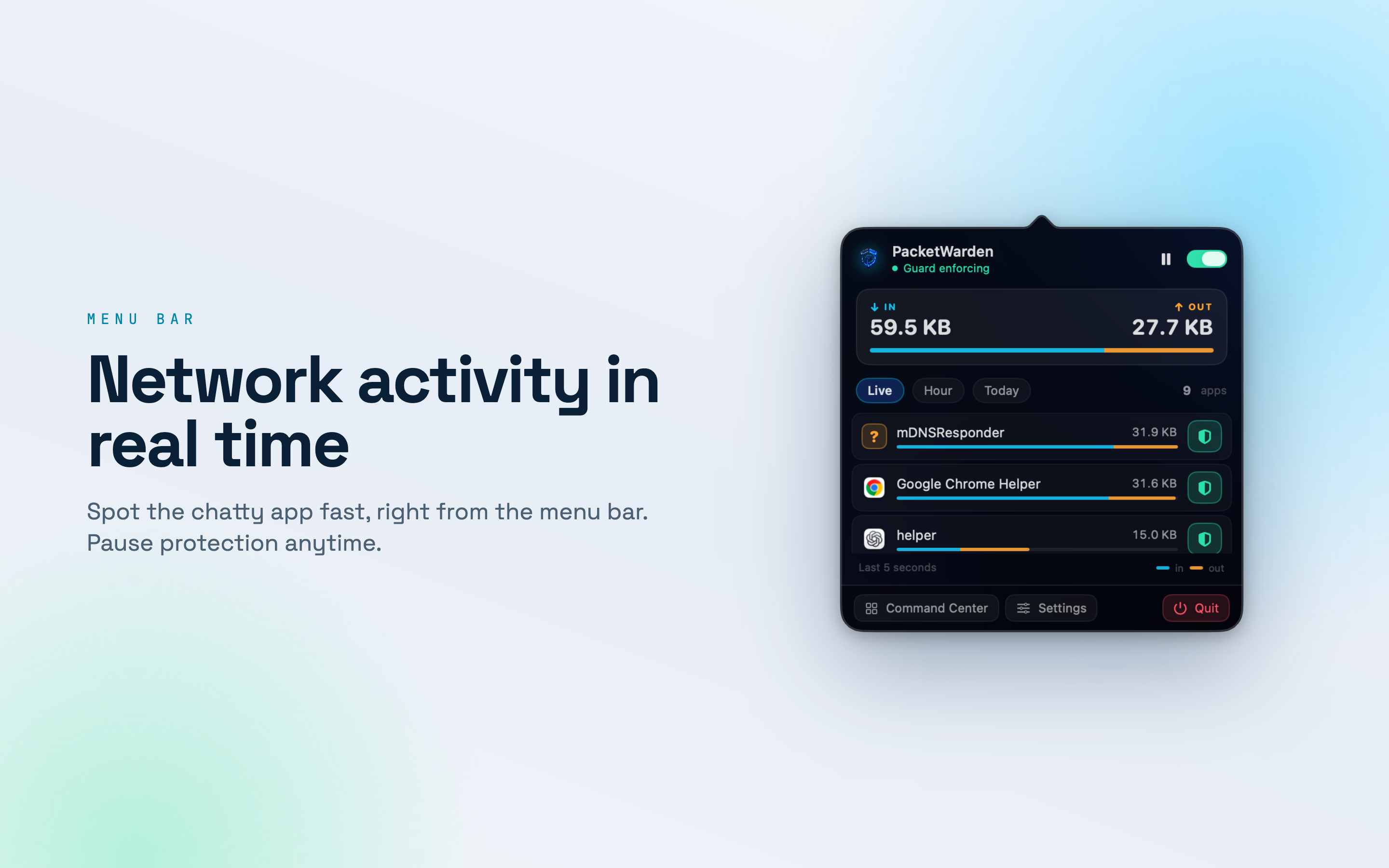
  • Menu bar panel with live throughput
Pro

PacketWarden Pro

Everything in Free, plus the whole toolkit.

  • Unlimited app blocking
  • Domain rules and curated block lists
  • 30 days of traffic history
  • Connection map with country detail
  • First contact alerts for new destinations
  • Export and import of rules, plus CSV export of the log

Subscriptions are billed through your Apple Account and renew automatically unless cancelled at least 24 hours before the end of the current period. Manage or cancel anytime in Account Settings.

FAQ

Questions, answered

The things people ask before they download.

What does PacketWarden do?

PacketWarden is an app firewall for Mac. It shows every outgoing connection your apps make - the destination host, IP address, port, protocol, country and how many bytes moved - and it lets you block the ones you never agreed to.

Does it use a VPN or a proxy?

No. PacketWarden is built on Apple's Network Extension framework and filters at the socket level on your Mac. There is no kernel extension, no third party tunnel and no traffic routed through a remote server, so rules apply right away with no restart and no VPN profile.

What is the difference between blocklist and allowlist mode?

Blocklist mode lets everything through except what you deny. Allowlist mode flips it: nothing connects until you approve it. Use lockdown when you want silence, then pause the guard for a few minutes when you need traffic back.

Is my traffic sent anywhere?

No. There is no account, no sign in and no cloud. Connection history lives in a local database on your machine, GeoIP lookup runs offline and nothing about your traffic is uploaded anywhere.

Can it block ads and trackers across the whole Mac?

Yes. Load curated lists of ad, tracker and telemetry domains and they apply to every app, not just one browser. You can also add your own domain rule to stop a single host everywhere.

Is PacketWarden free?

Yes. Watching live connections, the full detail on every row, search and sort, app blocking to get you started and the menu bar panel are free. PacketWarden Pro adds unlimited app blocking, domain rules and curated block lists, 30 days of traffic history, the connection map with country detail, first contact alerts for new destinations, and export and import of rules plus CSV export of the connection log.

What does PacketWarden require?

macOS 13 or later, and permission to install its network filter so it can see and stop connections.

pattern-lines
Privacy first

Everything stays on your Mac

A firewall that watches your traffic should not be sending it somewhere else. PacketWarden has no account and no cloud, keeps its history in a local database, looks up countries offline, and filters on the machine rather than through a server of ours.

No account

Local history

macOS native

Requires macOS 13 or later.

PacketWarden menu bar panel with live network activity