ShotSpace logo

ShotSpace - Screenshot Manager & Storage Cleaner for Mac

You take a screenshot to remember something. A boarding pass, a delivery code, an address, a receipt you'll need for a refund. Then it sinks between holiday pictures and the same chat captured five times, and when you finally need it, you scroll. ShotSpace is a home for your screenshots.

Available on macOS
It knows what's on the screen

Receipts, tickets, chats, codes, orders, documents and more, each with the date, the amount or the address that matters. Your screenshots arrive already sorted.

It finds what you no longer need

Old codes, finished trips, expired promos and ten shots of the same screen, each with the reason shown right on the picture.

It protects what shouldn't be seen

Card numbers, passwords, recovery phrases and IBANs are flagged before you share, and hidden in one click.

How It Works

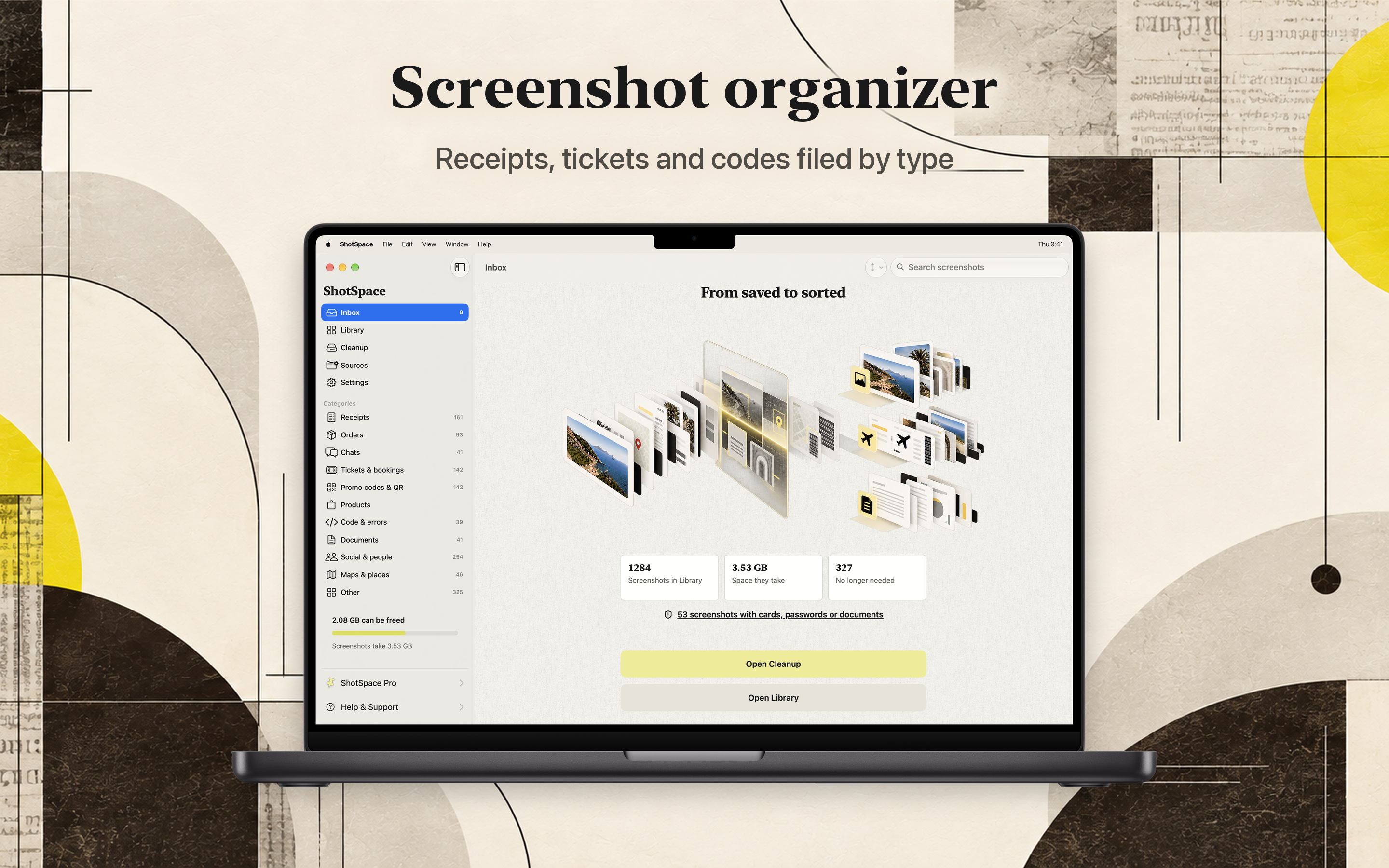
From saved to sorted

1
Point it at your screenshots

ShotSpace reads the ones already on your Mac and every new one, recognizing the screen, the app it came from and what matters on it.

2
Each one goes in its place

No folders to make and nothing to tag by hand.

ReceiptsTickets & bookingsChatsCodes & QROrdersDocumentsMaps & placesCode & errors
3
Clean up and keep what matters

Delete what's done, compress what you keep, and hide what shouldn't be seen.

Screenshots read and sorted, expired codes and repeats found, a note added, a card number hidden.

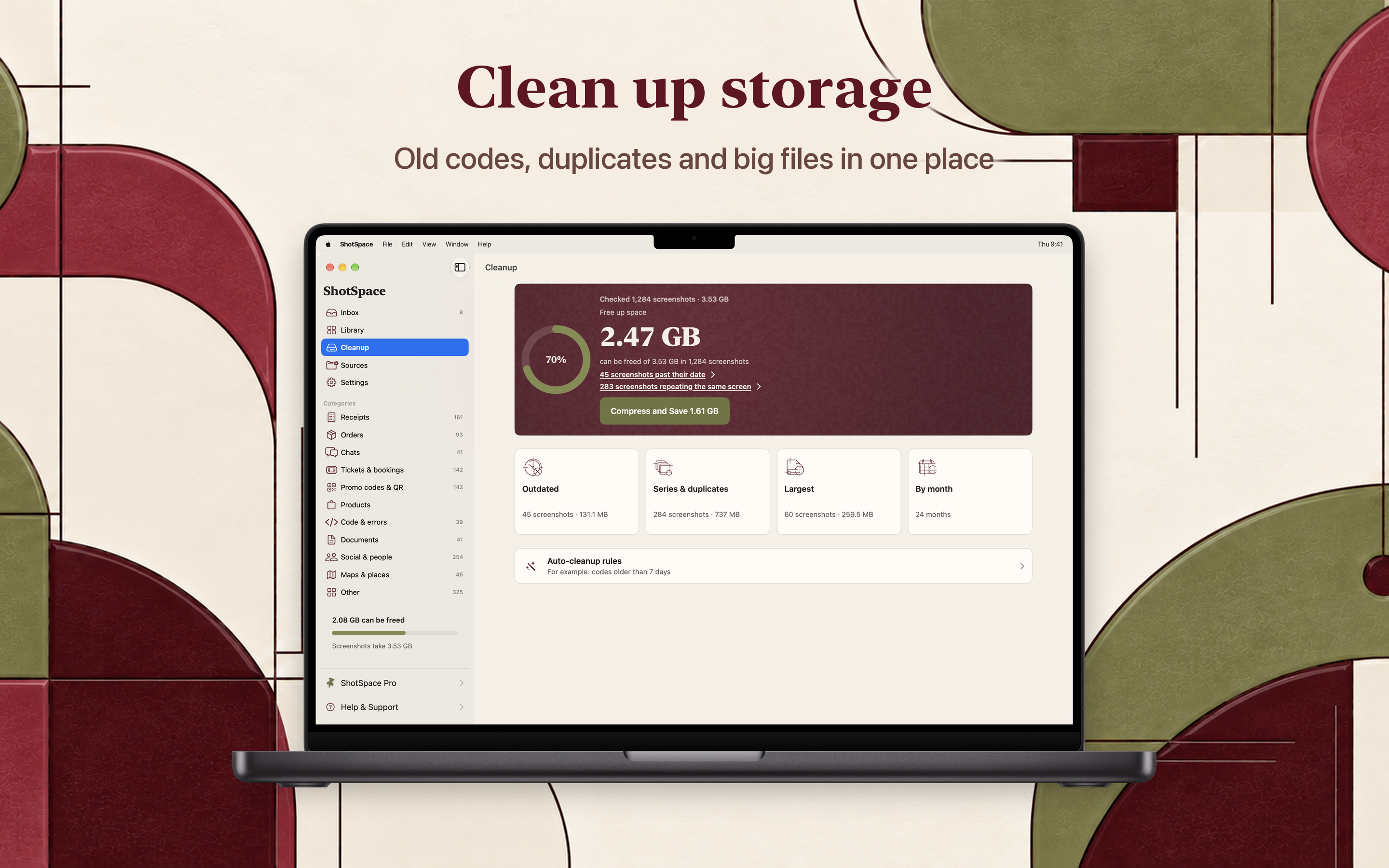
ShotSpace Cleanup showing 2.47 GB that can be freed from outdated screenshots, series and duplicates, the largest files and by month
Cleanup

It finds what you no longer need

Verification codes from last week. A trip that's over. A promo that expired. ShotSpace spots them and shows you why, with the date highlighted right on the picture. Delete them in a couple of clicks.

Compress the ones you keep
Screenshots shrink several times over. Nothing is deleted and the text stays sharp.

Auto-cleanup rules
For example, codes older than 7 days or deliveries that already arrived.

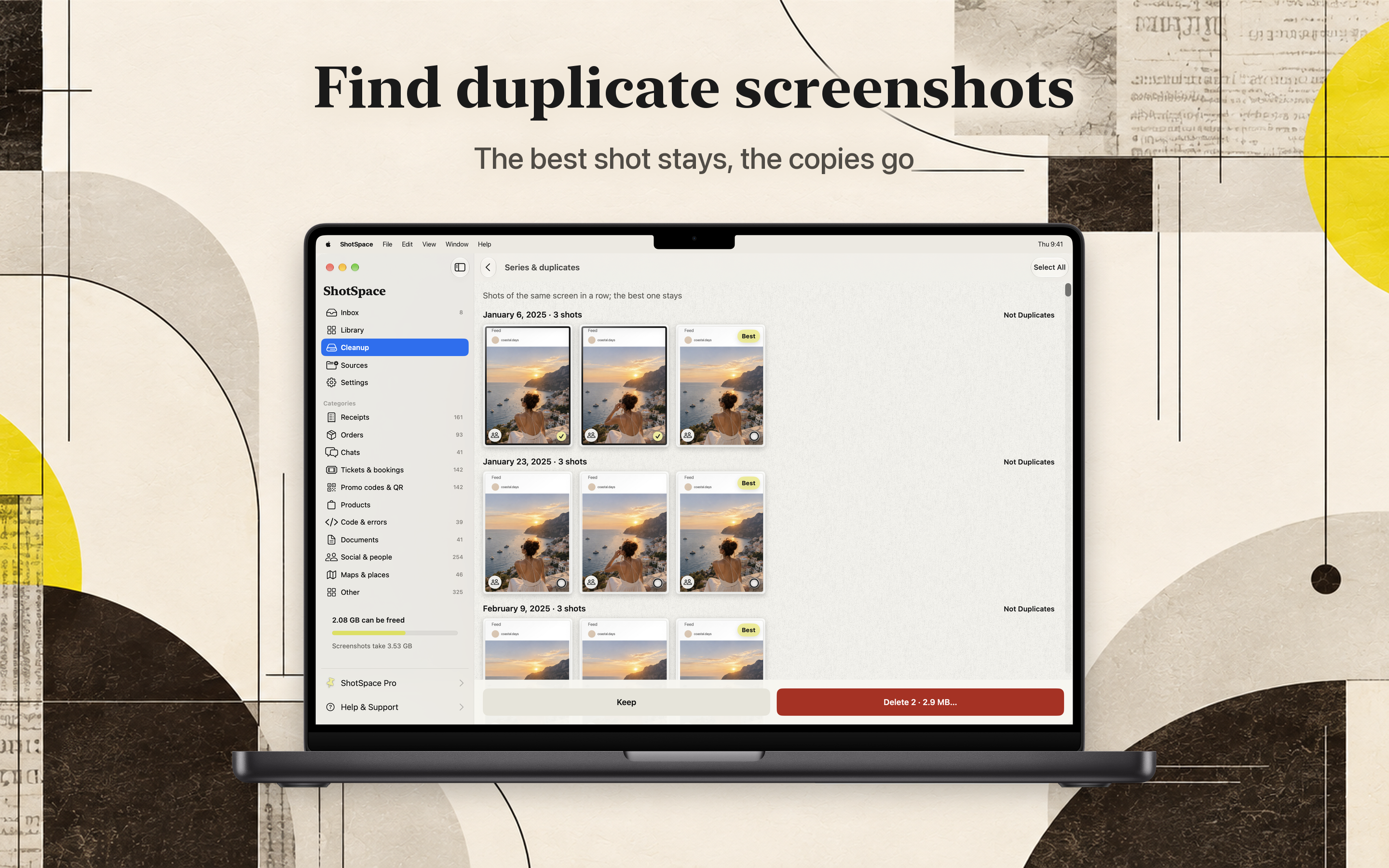
ShotSpace series and duplicates: three shots of the same screen grouped by day with the best one marked to keep
Series & Duplicates

The best shot stays, the copies go

Ten shots of the same screen happen to everyone. ShotSpace groups them by day, marks the best one and lines the rest up to delete.

Nothing goes without you
Mark a group as not duplicates and it stays. Nothing is deleted without your confirmation.

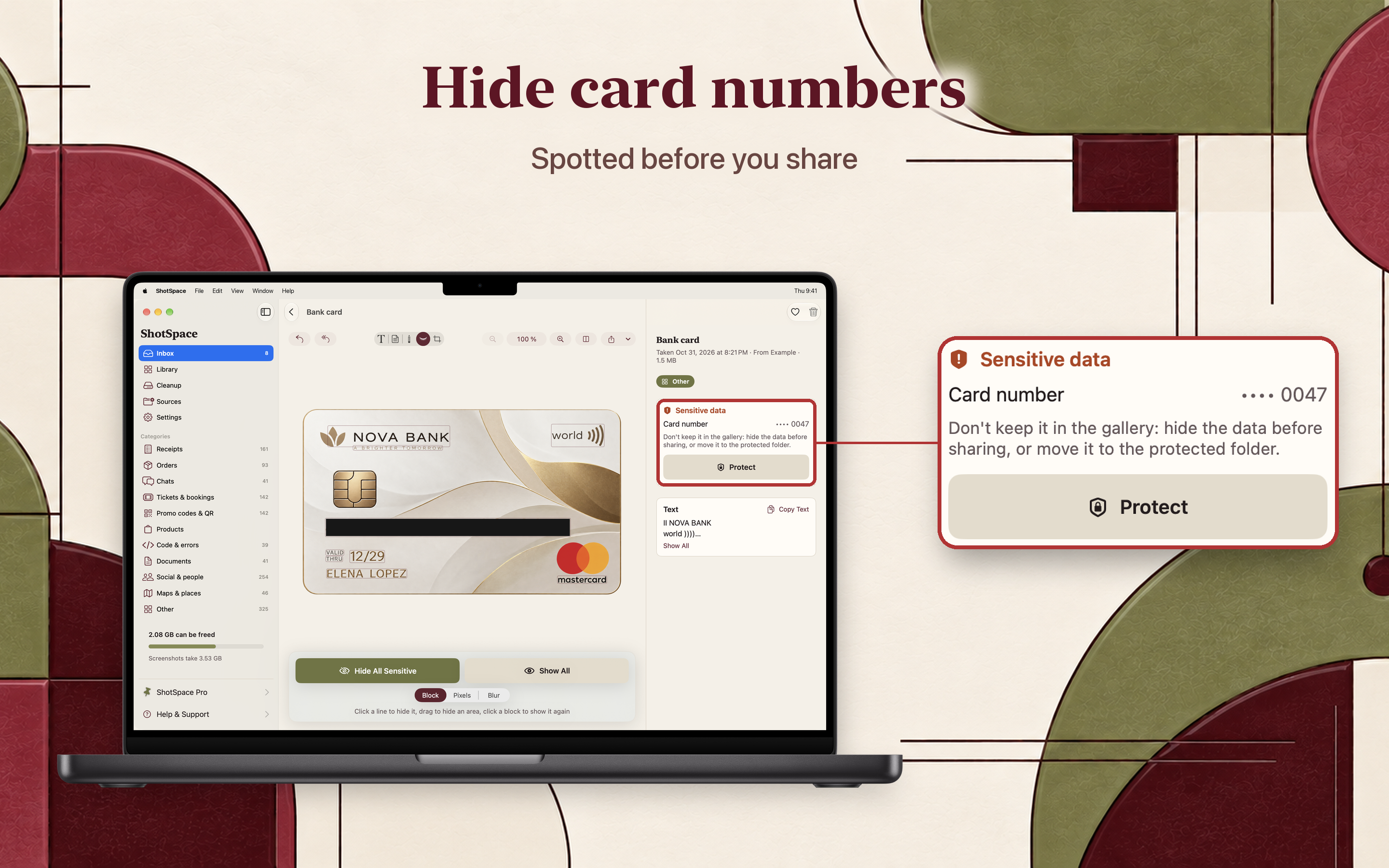
ShotSpace flagging a card number on a bank card screenshot, with options to hide the data or protect the screenshot
Sensitive Data

Spotted before you share

A card number in a banking app. A password. A recovery phrase. An IBAN in a chat. ShotSpace flags sensitive screenshots, so you notice them before they leave your Mac.

Card number •••• 0047 - hide the data before sharing, or move it to the protected folder.

Hide it in one click
Cover the details with a block, pixels or blur, on the copy you share.

A private, locked folder
Move the screenshot behind Touch ID instead of leaving it in the library.

ShotSpace Inbox card for a boarding pass, recognized as flight SW742 with an Add to Calendar button
It Makes Screenshots Useful

Add dates to Calendar

Flights, events and deadlines from your screenshots, added with the time and place already filled in.

Copy what you came for
An amount, a phone number or an address in one click, straight from the picture.

Search by the text on it
Type a word you remember and find the screenshot it was on.

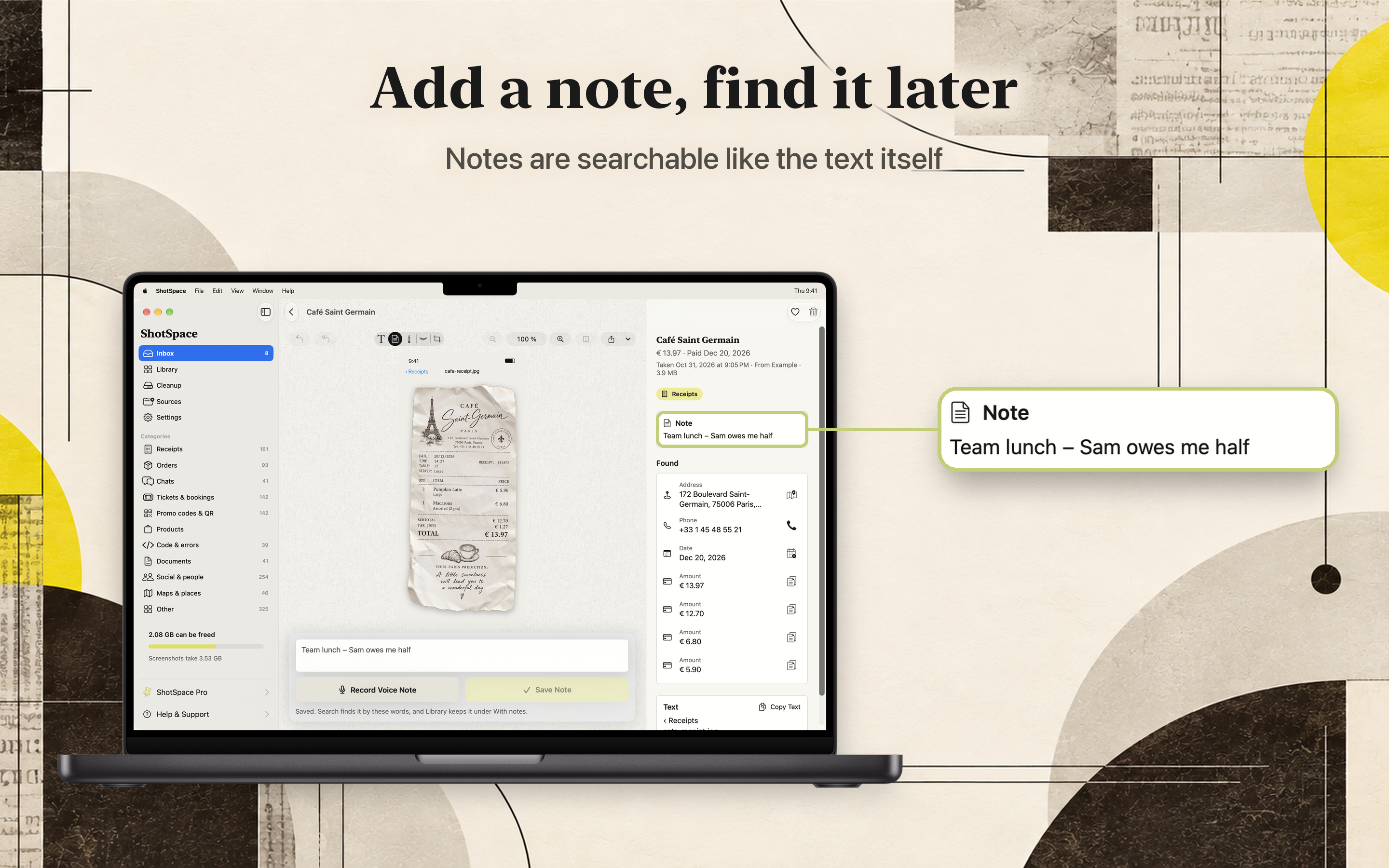
ShotSpace receipt screenshot with a note, plus the address, phone, date and amounts it found
Notes

Add a note, find it later

Write why you kept it, and the note brings it back when you need it. Notes are searchable like the text itself.

Team lunch - Sam owes me half

Or say it
Record a voice note and ShotSpace turns it into text.

Favorites and collections
Keep the ones you come back to, and group them your own way.

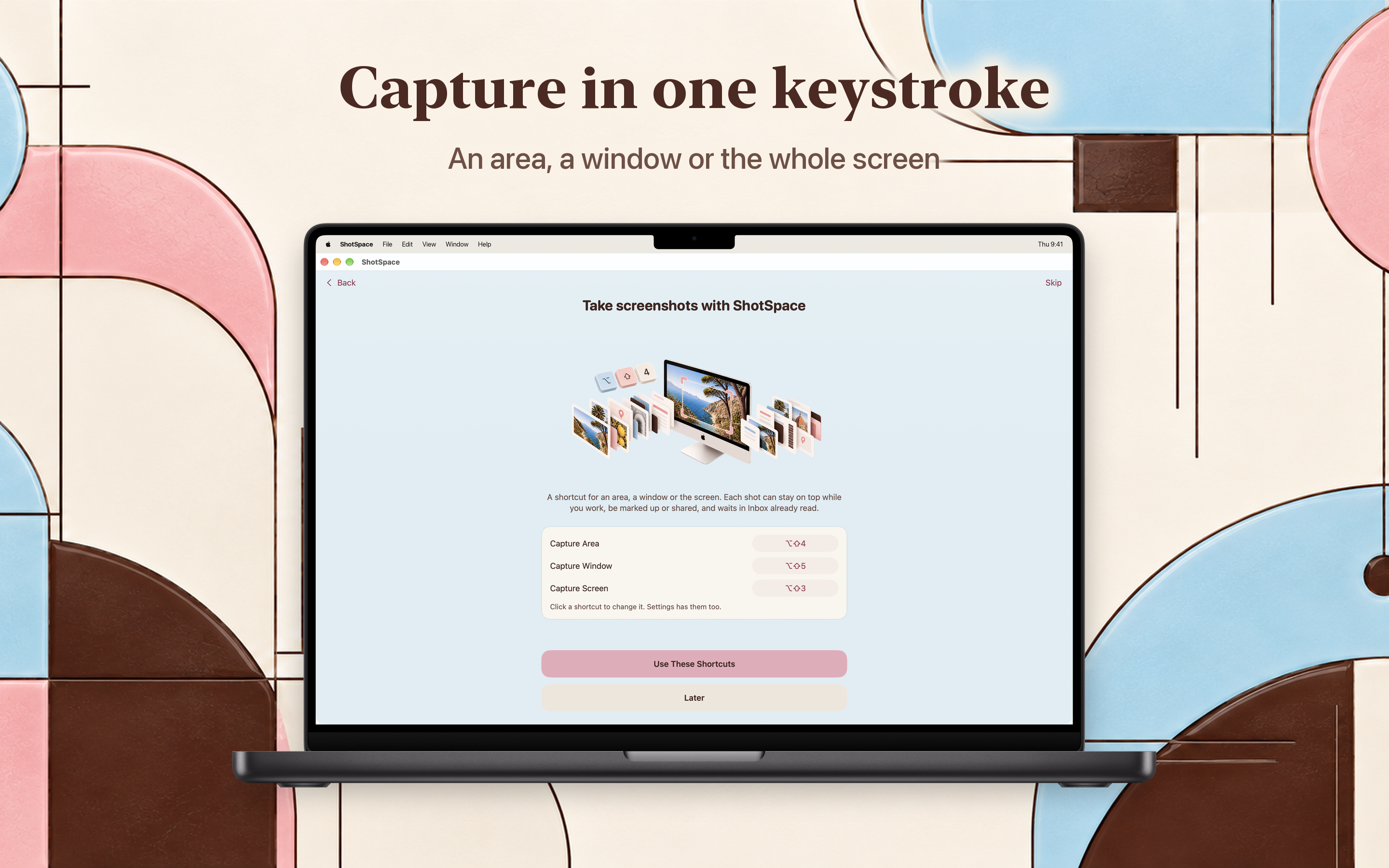
ShotSpace capture shortcuts for an area, a window and the whole screen
Capture

Capture in one keystroke

A shortcut for an area, a window or the whole screen. Each shot can stay on top while you work, be marked up or shared, and waits in Inbox already read.

⌥⇧4 ⌥⇧5 ⌥⇧3

Your own shortcuts
Click a shortcut in Settings to change it.

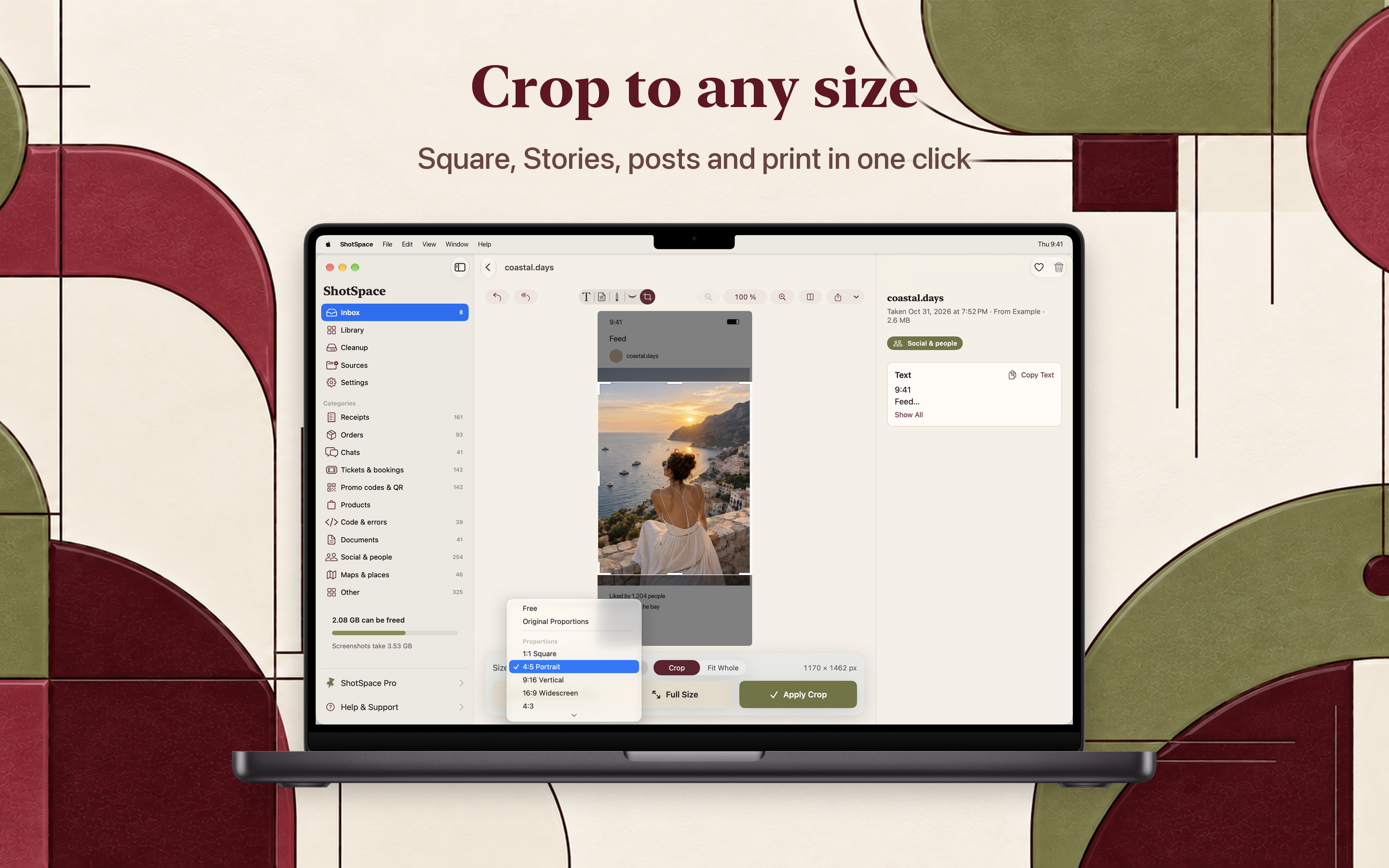
ShotSpace crop tool with 1:1, 4:5, 9:16 and 16:9 presets on a social post screenshot
Edit

Mark up, crop, hide and stitch

Square, Stories, posts and print in one click, or crop freely. Mark up what matters and stitch several screenshots into one.

1:1 Square4:5 Portrait9:16 Vertical16:9 WidescreenFree
Inbox

New screenshots, sorted in seconds

Fresh screenshots wait in Inbox as cards. Keep, delete or decide later, one at a time.

Keep, delete or later

One decision per card, and Inbox empties itself as you go.

A weekly summary

What's new this week and how much space you can get back.

A widget

The same numbers at a glance, without opening the app.

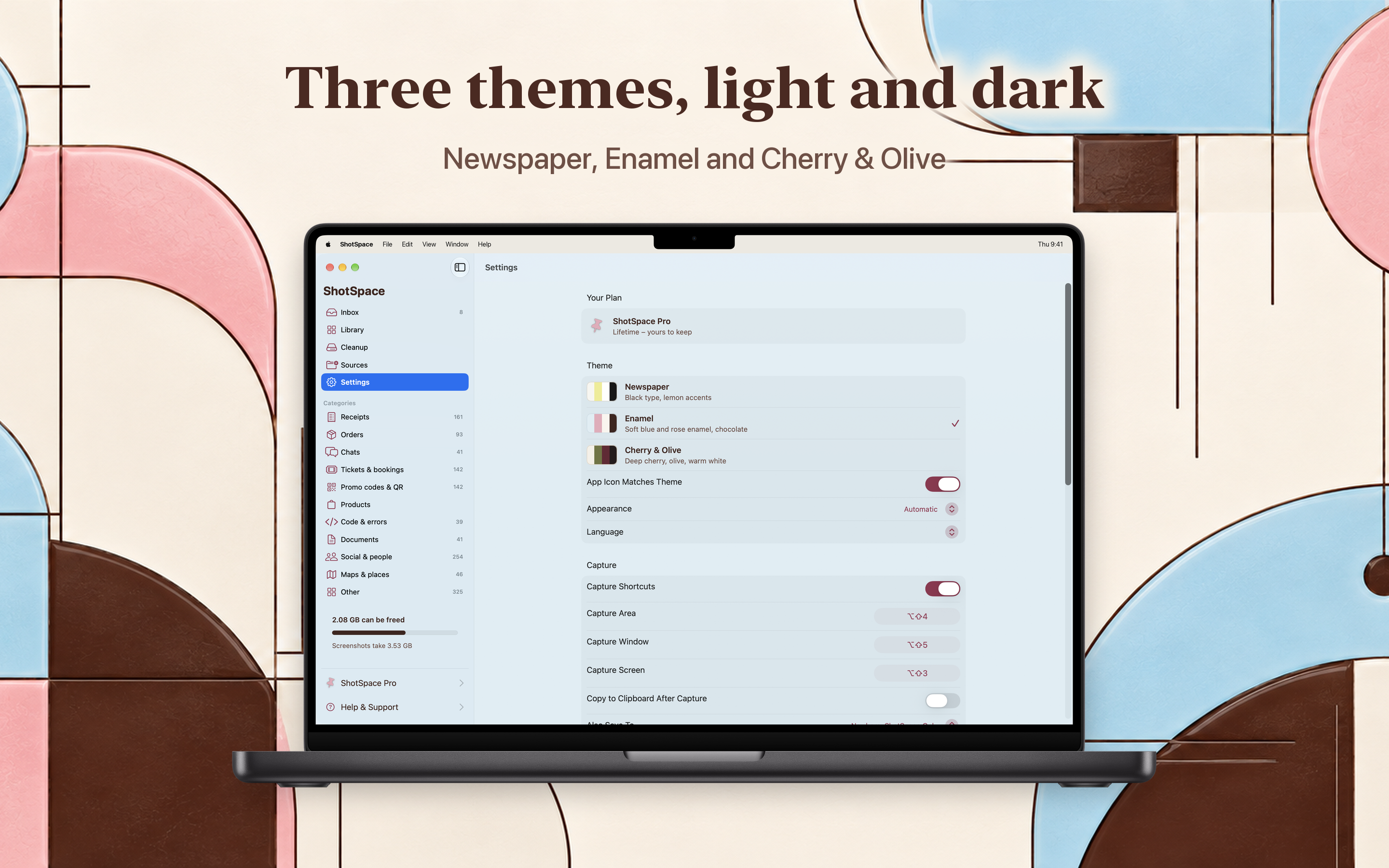
ShotSpace settings with the Newspaper, Enamel and Cherry and Olive themes
Make It Yours

Three themes, light and dark

Newspaper, Enamel and Cherry & Olive, each in light and dark, with an app icon that changes along with them.

NewspaperEnamelCherry & Olive
Free & Pro

Free to sort. Pro to clean up

Sorting your screenshots is free. Pro takes the limits off cleanup and adds the private folder.

Free

No account, no time limit.

  • Screenshots read and sorted for you
  • Inbox for new screenshots
  • Sensitive screenshots flagged
  • Read on your Mac, never uploaded
Pro

ShotSpace Pro

Everything in Free, plus:

  • Unlimited cleanup and batch actions
  • Compression that keeps text sharp
  • Hide card numbers and passwords in one click
  • Private folder behind Touch ID
  • Auto-cleanup rules
  • Export receipts as a CSV for expenses
  • Yearly with a free first week, or a one-time purchase

Payment is charged to your Apple Account. The yearly subscription renews automatically unless cancelled at least 24 hours before the end of the current period. Manage or cancel anytime in your Apple Account settings. The lifetime option is a one-time payment. Terms of Use · Privacy Policy

FAQ

Questions, answered

The things people ask before they download.

What does ShotSpace do?

ShotSpace is a home for your screenshots. It reads each one, understands what it is - a receipt, a ticket, a code, a chat, an order, a document - and puts it in its place, so you never have to sort them yourself. It also finds the screenshots you no longer need and flags the ones that should not be seen.

How does ShotSpace free up space?

It spots verification codes from last week, trips that are over, promos that expired and series of the same screen, and shows you why, with the date highlighted right on the picture. Delete them in a couple of clicks, or compress the ones you keep: screenshots shrink several times over, nothing is deleted and the text stays sharp.

Can I find a screenshot by the text on it?

Yes. Search finds any screenshot by the text on it and by the notes you add. You can also copy an amount, a phone number or an address in one click, and add a date straight to Calendar with the time and place filled in.

What does ShotSpace do with sensitive screenshots?

It flags screenshots with a card number, a password, a recovery phrase or an IBAN, so you notice them before you share. Hide the details with one click, or move the screenshot to a private, locked folder.

Are my screenshots uploaded anywhere?

No. Your screenshots are read on your Mac and never uploaded. There is no account and no server looking at your photos. If you choose to turn on Apple's Private Cloud Compute in Settings, which is off by default, only the text read from a screenshot the app finds hard to sort goes to Apple's servers - never the picture, and never a screenshot with a card number, a password or an ID on it.
Is ShotSpace free?

ShotSpace is free to use for sorting screenshots. ShotSpace Pro unlocks batch actions, unlimited deleting, compression and the private folder, as a yearly subscription that starts with a free week, or as a one-time purchase.

What does ShotSpace require?

macOS 14 or later. There is no account to create.

pattern-lines
Yours, and only yours

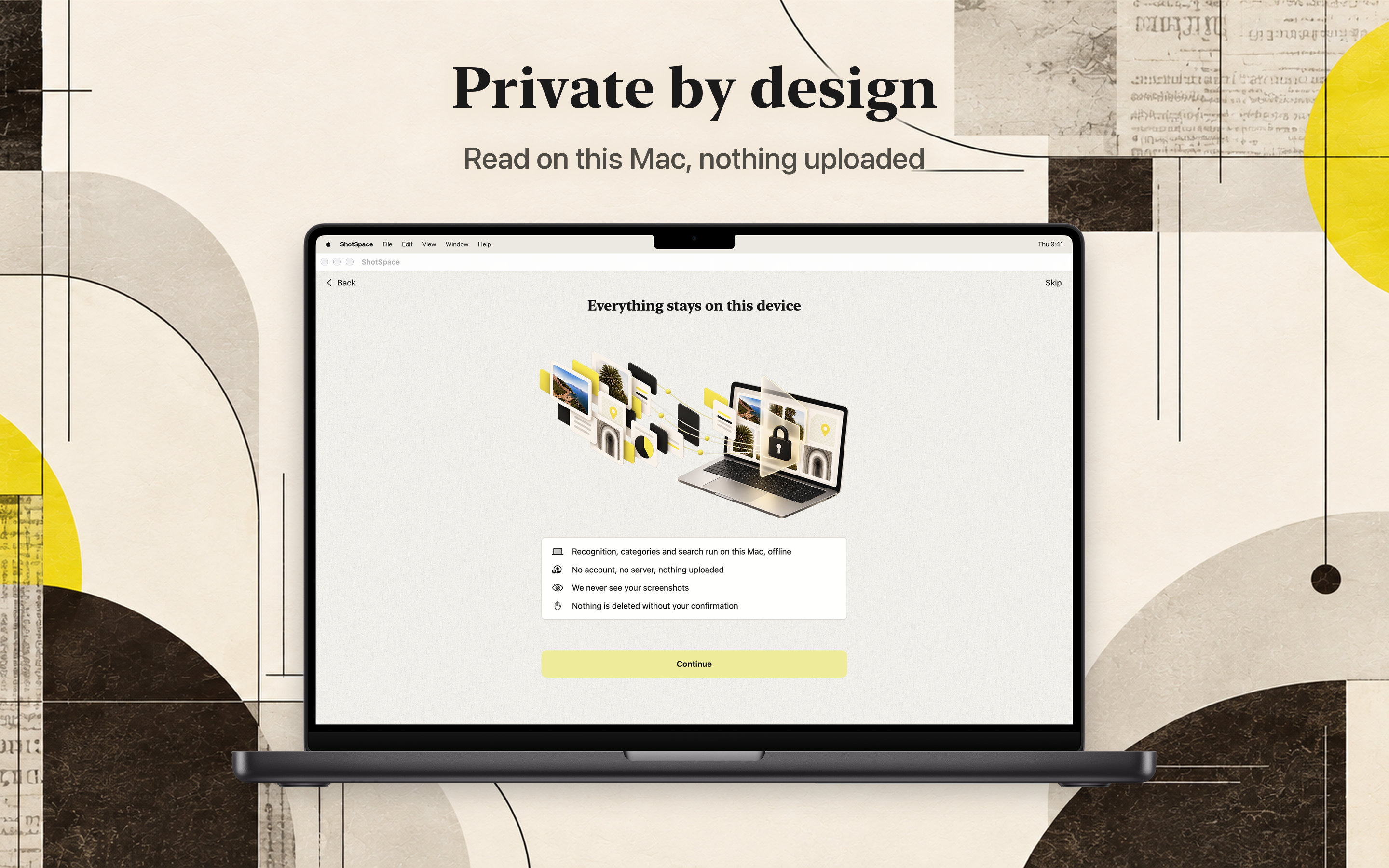
Your screenshots stay on your Mac

Boarding passes, bank cards, private chats. Your screenshots are read on your Mac and never uploaded. No account, no servers looking at your photos, and nothing is deleted without your confirmation.

No uploads

No account

macOS native

Requires macOS 14 or later.

ShotSpace: recognition, categories and search run on this Mac, offline